


GZCL: Jacked & Tan 2.0 in Durata: the chart does the maths
GZCL: Jacked & Tan 2.0 is a chart. Twelve weeks, four days a week, and every session built from three tiers: a Tier 1 lift that works up to the week's rep max, a Tier 2 compound that follows a written percentage wave, and Tier 3 accessory work chasing high reps. It is one of the few programs in the catalogue where the app and the lifter each own part of the same screen, and the split is the interesting part.
The top set on Tier 1 is yours. The app cannot know what a ten-rep max feels like on the day, so it leaves that box empty and asks. Everything else on the screen is computed: the drop sets under the top set, the Tier 2 wave, the training maxes carried between blocks. This walkthrough follows a full block through both halves and shows where the boundary sits.
Every weight below came off a live drive of the real engine. The squat's training max went in at 200 kg, the front squat's at 160 kg.
Starting the program
In Discover, GZCL: Jacked & Tan 2.0 sits on the Powerlifting shelf, marked Advanced, at four days a week. Search finds it by name, or Filter narrows the shelves by level and days a week. Tap the cover for a quick look, then View Program for the full page.
The Advanced mark is fair. The program assumes you already know what your rep maxes are worth.
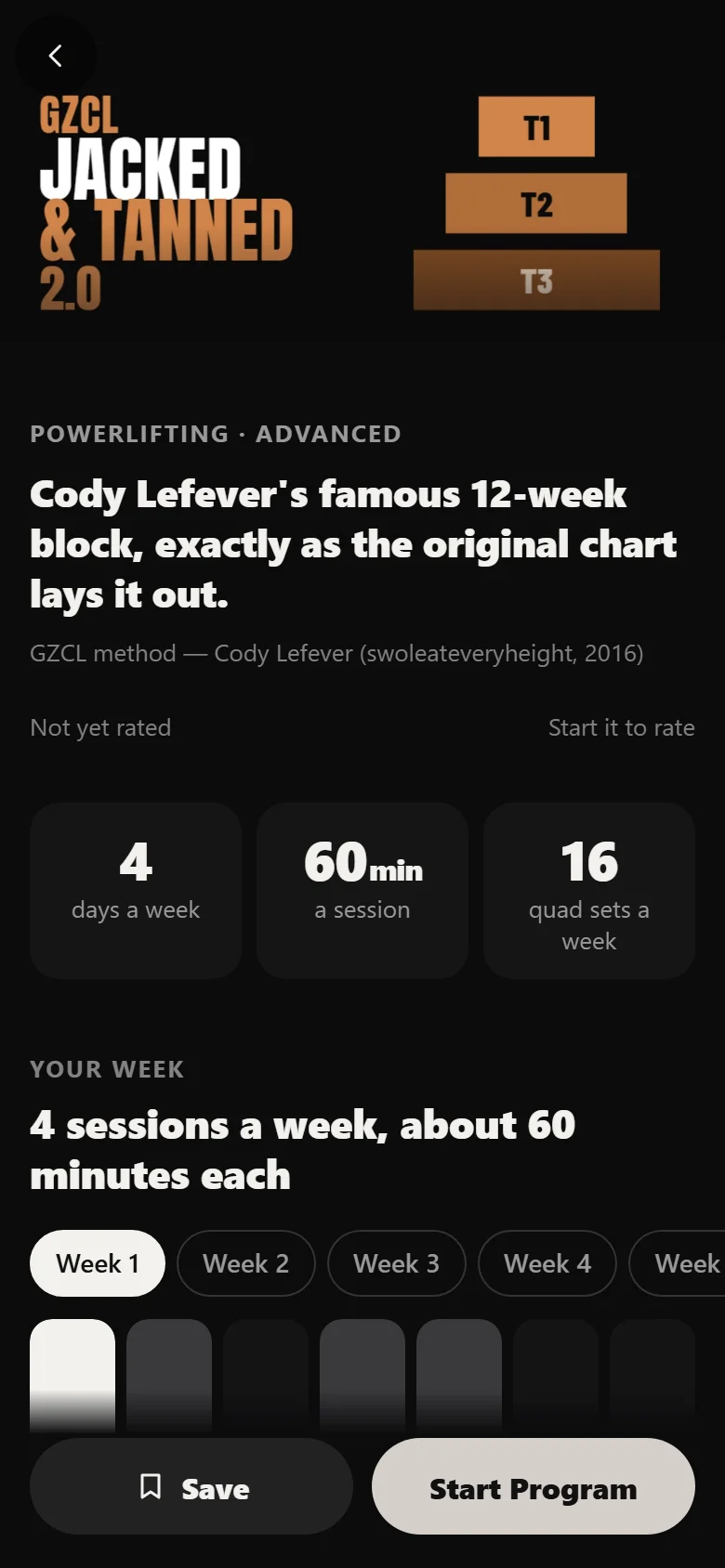
The program page shows the shape before you commit: the four-day upper and lower split, the twelve-week length, and the tier structure of a single session.
One number per lift, then never again
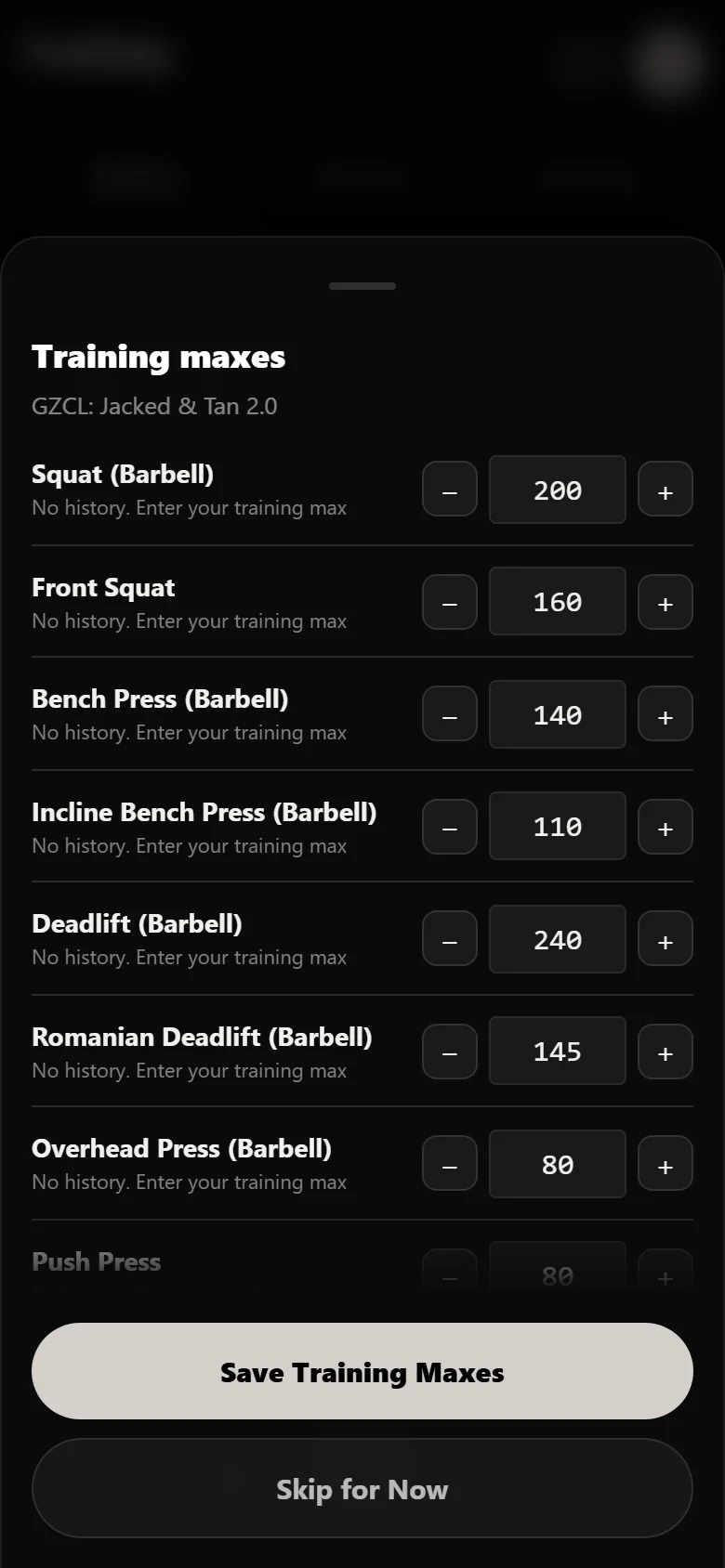
Setup is a list of training maxes. Squat, bench, deadlift, overhead press, and a second max for each of the Tier 2 compounds that shadow them. Enter conservative numbers, because they are the denominator for every prescribed weight in the next three months.
This run went in with a squat max of 200 kg and a front squat max of 160 kg. The deadlift went in at 240 kg, the bench at 140 kg and the overhead press at 80 kg. After that the setup screen is done. Nothing in the block asks you to work out a weight again, apart from the top sets, which are the part the program deliberately hands back to you.
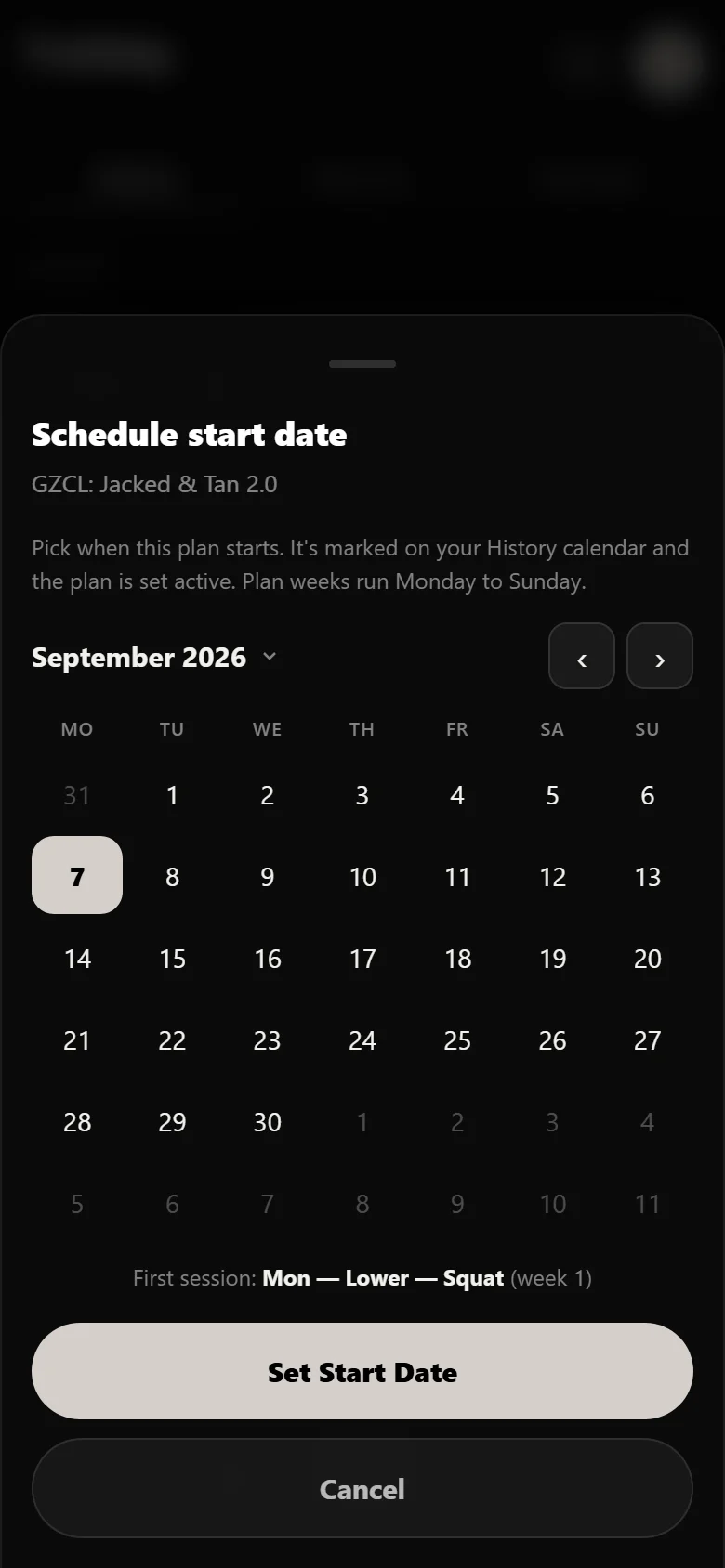
The start date is the last question. Pick it, and every session date across twelve weeks is placed on the calendar from there.
The one weight the app refuses to guess
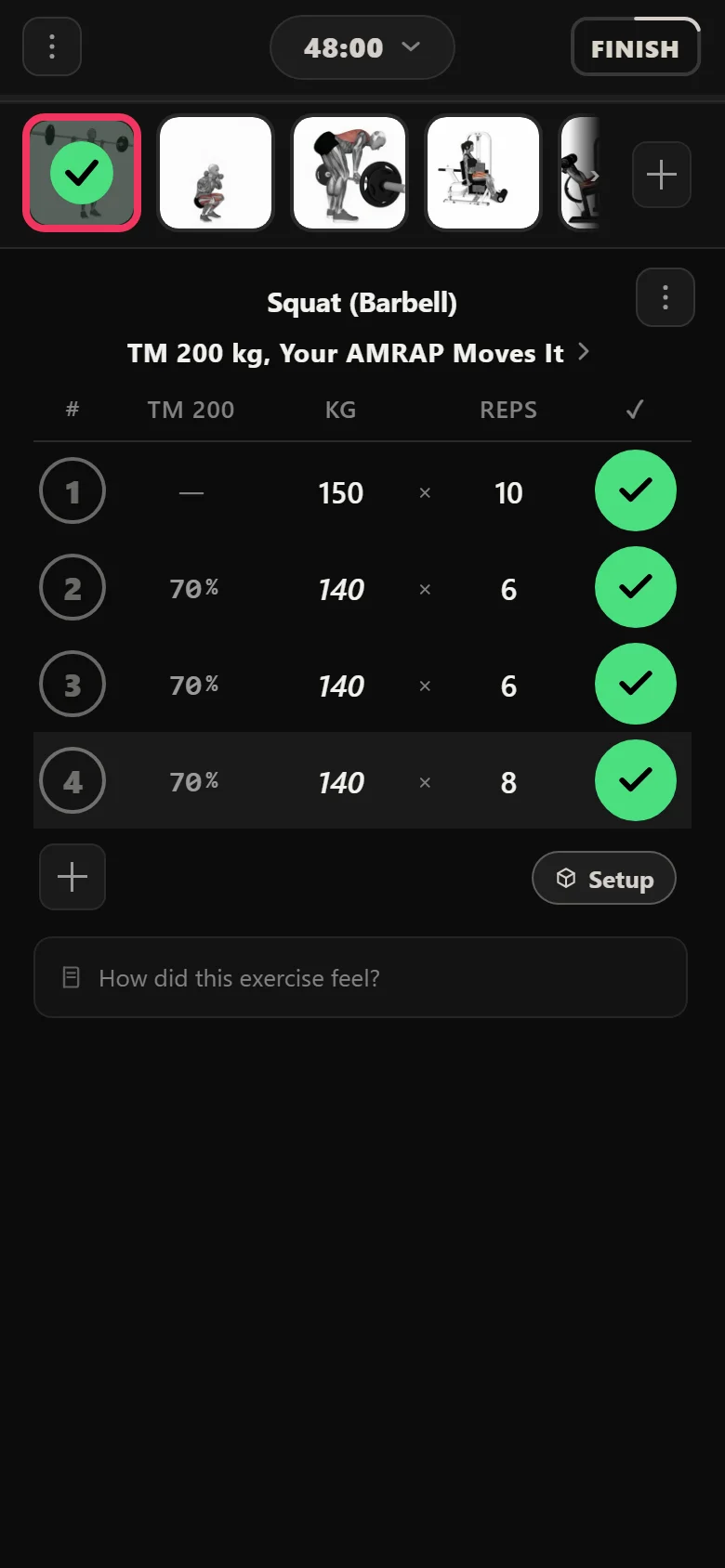
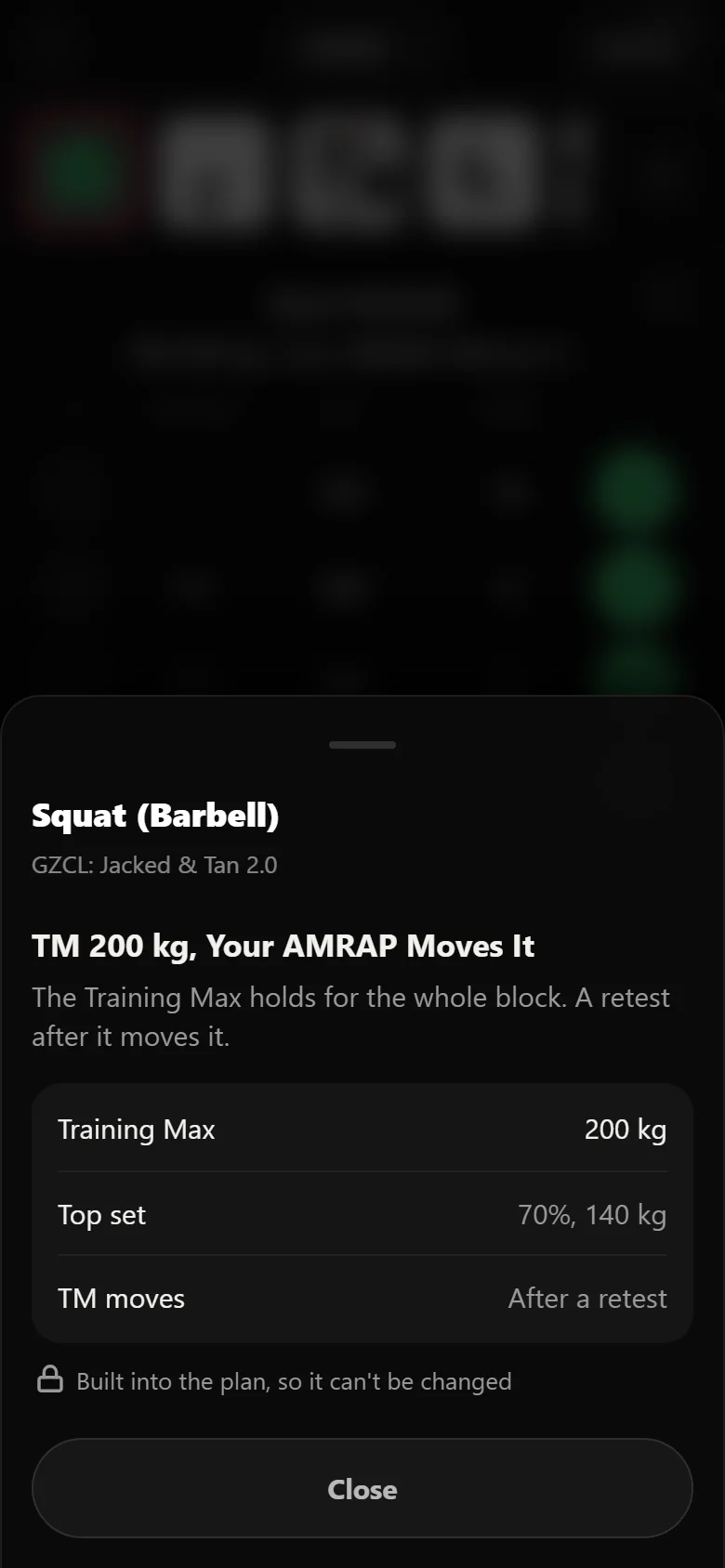
Week 1's Tier 1 squat asks for a ten-rep max. The weight field is blank, and it stays blank until you fill it. That is not an oversight. A rep max is a reading taken on the day, and the app has no way to take it for you, so it asks and then works from the answer.
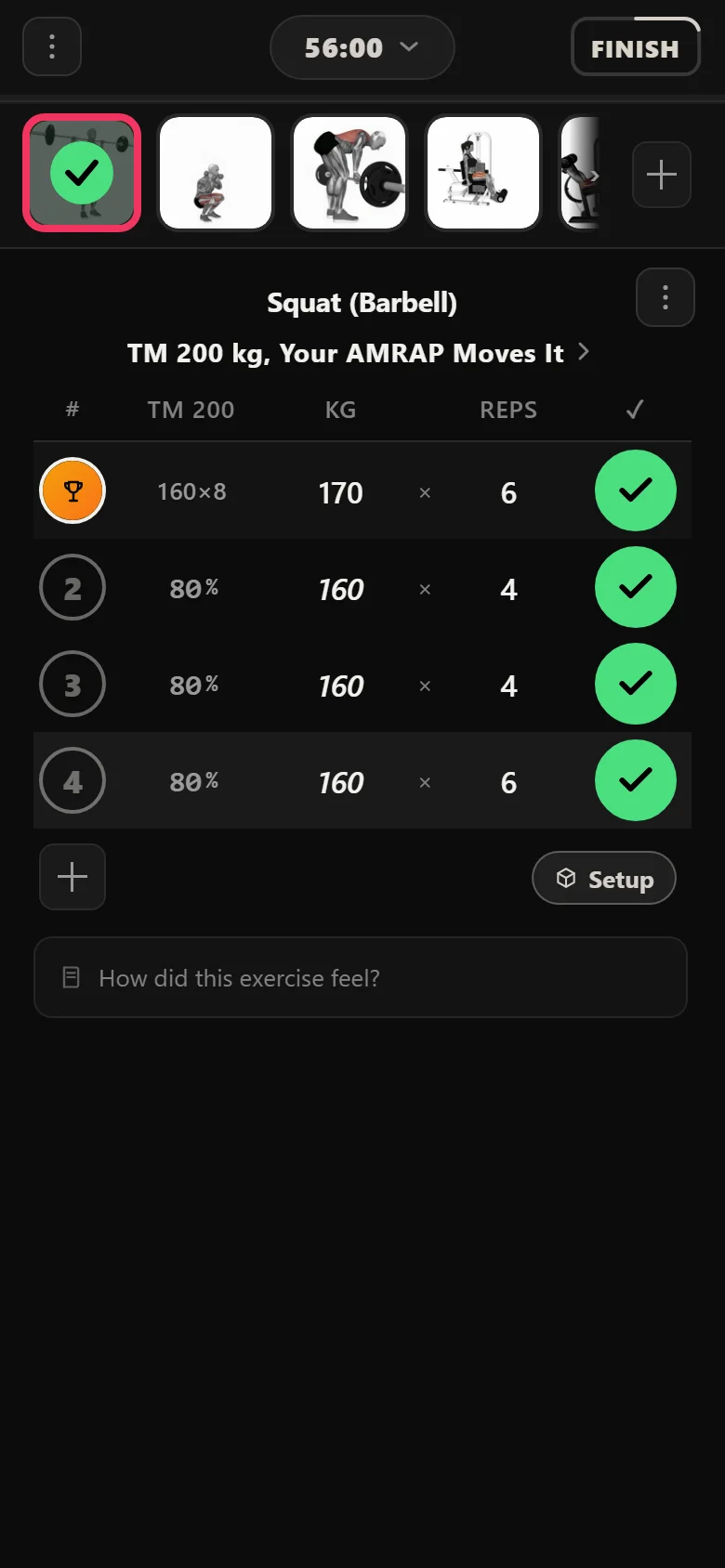
Everything underneath is already there. The drop sets sit at 70% of the training max, filled in before you walk to the rack. Tap the rule chip and the app puts the split in writing: the top set is a rep max you choose, and the sets below it are a percentage it applies for you.
The rep max descends as the block runs. Ten reps in week 1, then eight, six, four, two. The weight climbs because the reps fall, which is the lifter's job to judge, and the app's job to record.
Block one: the drops ignore you
For the first five weeks the drop sets are indifferent to what happened on the top set. They are a straight percentage of the training max you entered in setup, climbing 70, 75, 80, 82.5, 85 as the weeks go by. Have a great day on the top set and the drops do not move. Have a bad one and they still do not move.
That is the point of the first block. The training max is a fixed reference, so the volume underneath is predictable week to week and the only variable is how hard the top set went. You get a stable base of work whatever the rep max turns out to be.
It also means the first block is unusually easy to plan around. You can read next week's drop weights off the chart before you have trained this week.
Week 6: the block stops and asks
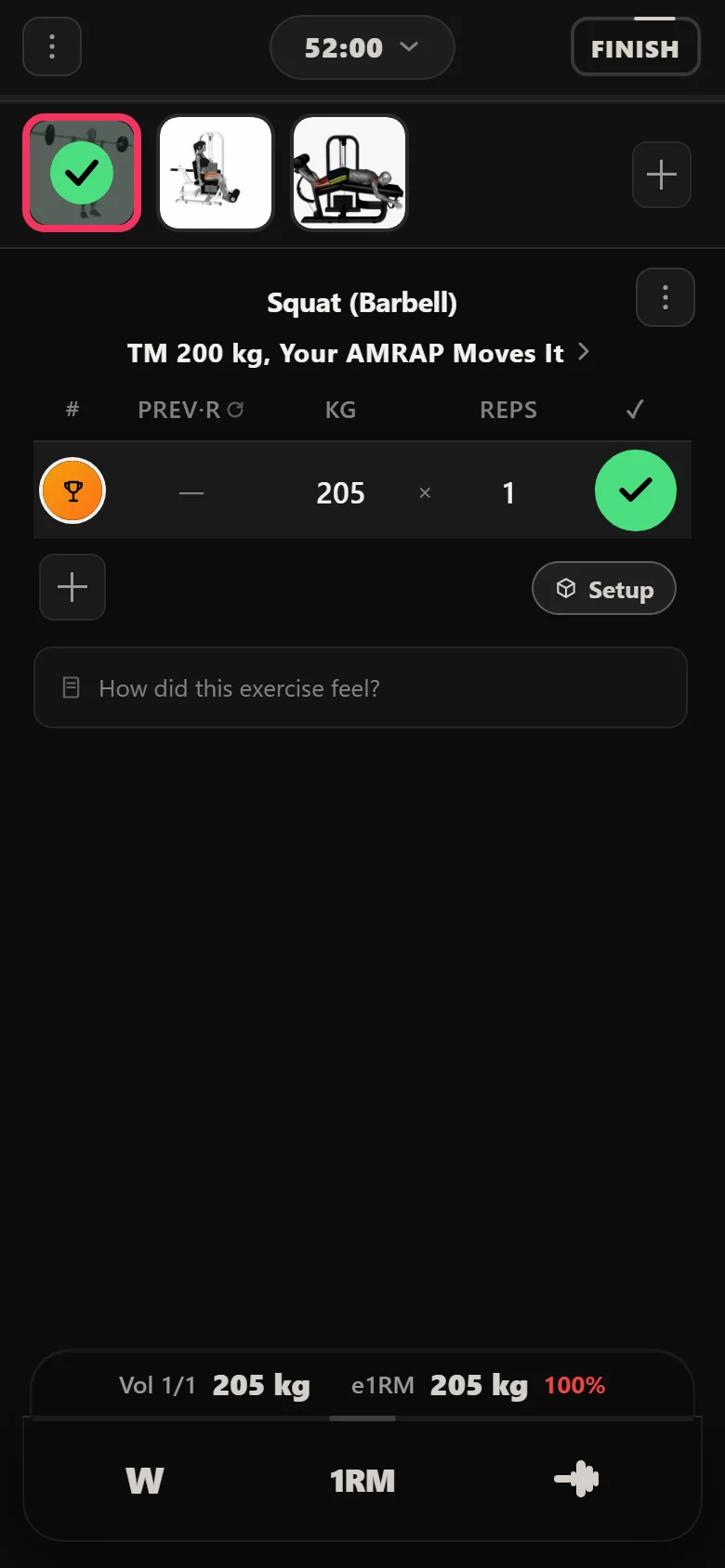
Week 6 has no volume in it. Each Tier 1 day is a single rep, worked up to, and the day is named for what it is. Durata carries that name into the logger so you cannot open the session and mistake it for another heavy day.
This run put 205 kg on the squat single. The number matters less than what happens next: you go back to the training max screen and enter it, and every prescribed weight in the second half of the block starts being computed against the new figure instead of the old one. The squat's max went 200 kg to 205 kg here, and the deadlift, bench and overhead press moved with it, to 245 kg, 142.5 kg and 82.5 kg.
The front squat's max did not move, and is not supposed to. Tier 2 percentages run against a fixed number for the whole block, which is what makes its wave read cleanly from one end to the other.
Block two: now the drops follow you
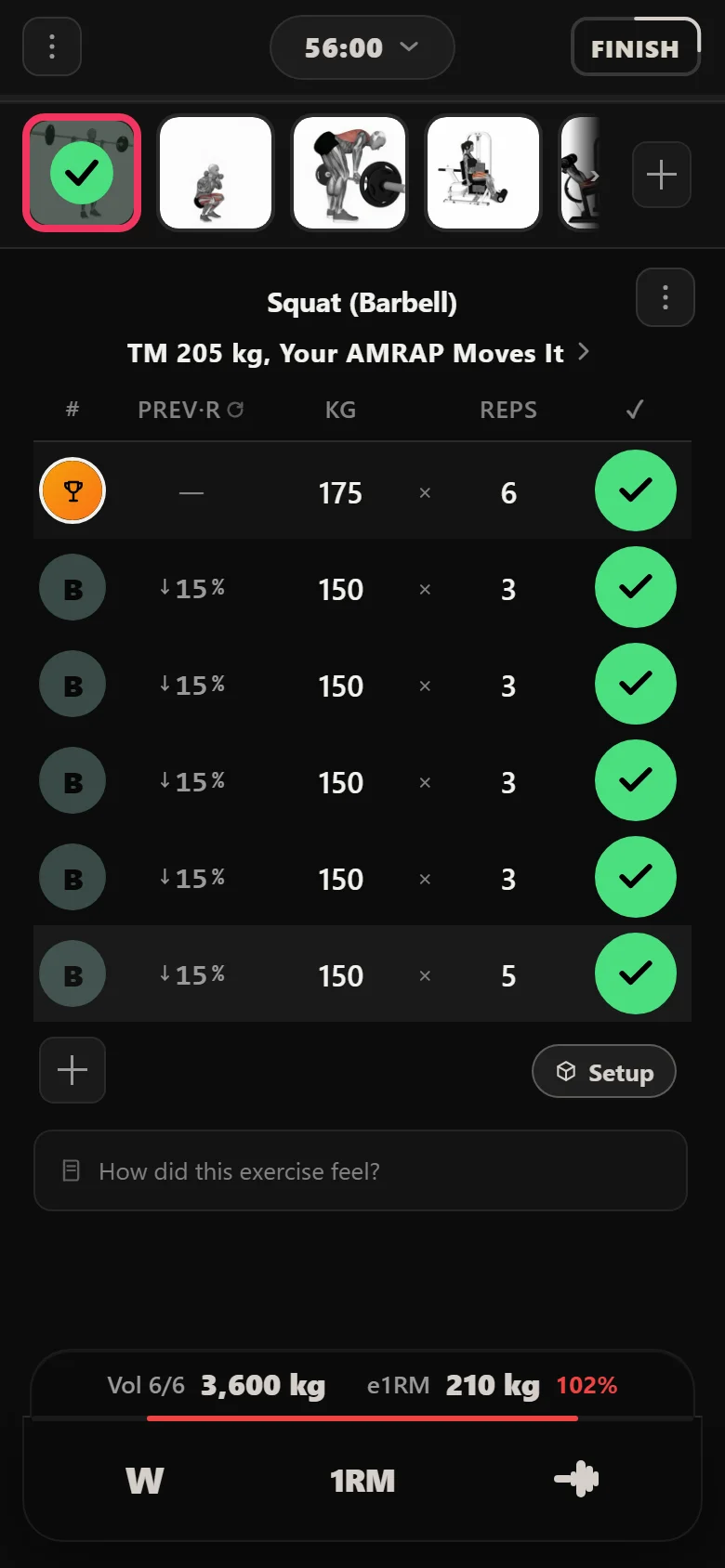
Week 7 looks identical and behaves differently. The rep max ladder restarts, and the sets under the top set are no longer a percentage of any max. They are a percentage off the weight you just put on the bar: 15% for the first three weeks, then 10% for the last two.
So the second block is self-correcting in a way the first is not. A strong top set drags the whole session up with it, and a bad one pulls the session down and lets you finish it anyway. You never type either number. The app reads the top set the moment you log it and fills the rest in.
The two halves are the same screen running two different rules, and the only way to tell them apart is to watch what the sets underneath do when the top set changes.
The lift that is written from end to end
Beside every Tier 1 lift sits a Tier 2 compound with nothing left to the lifter at all. The front squat shadows the squat, and every weight it lifts across the block is a percentage of its own training max, written into the chart before you started.
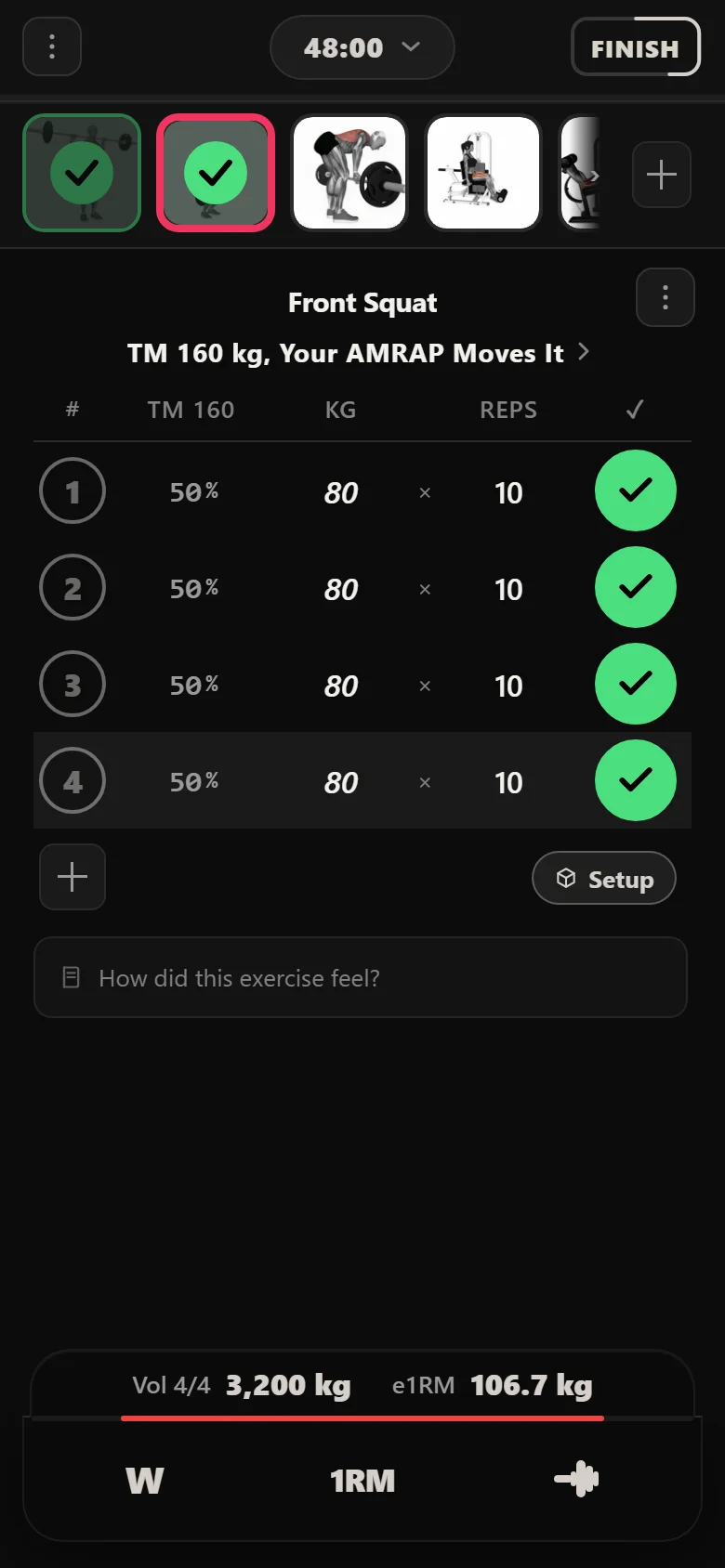
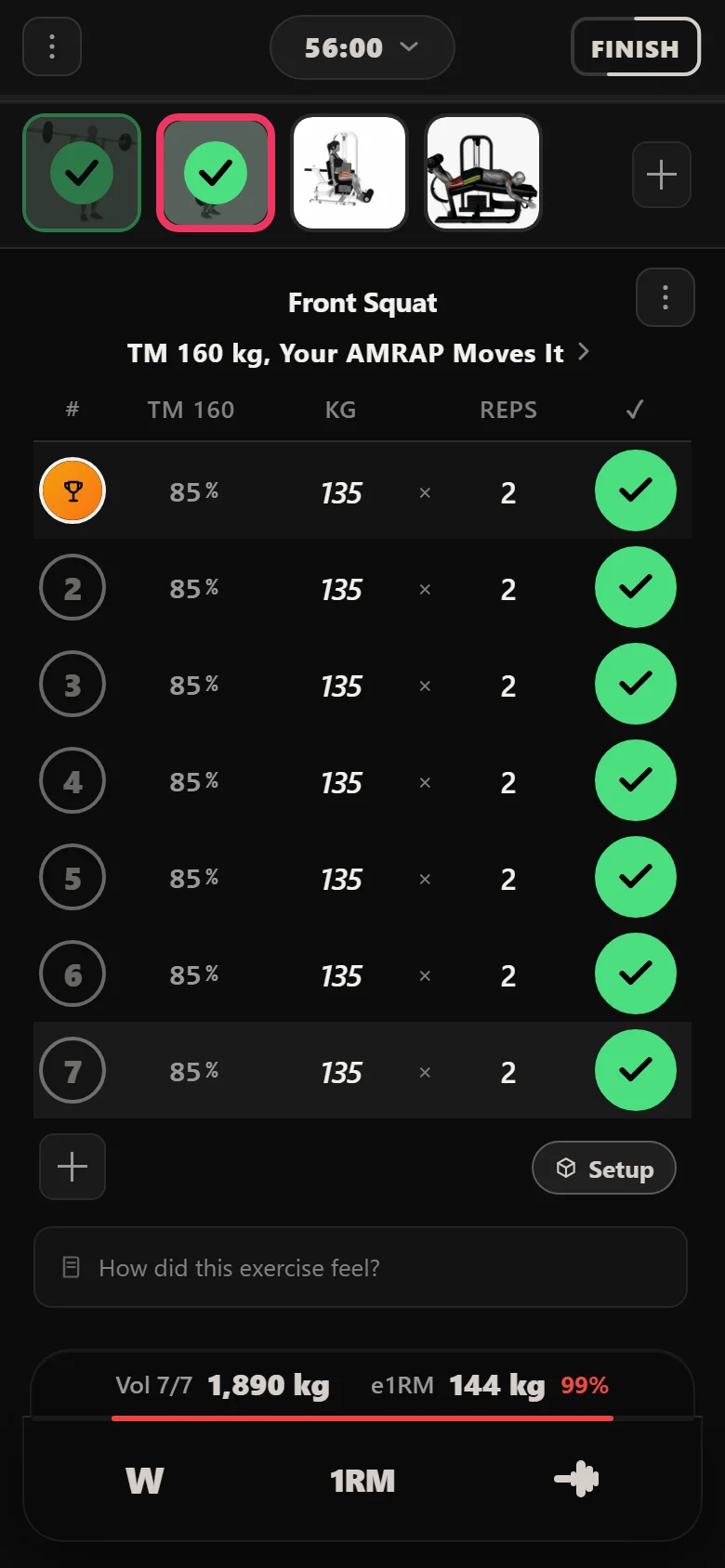
It opens at 80 kg, half of its 160 kg max, and climbs through the first block. Then week 7 drops it back and it climbs again, higher, finishing at 135 kg in week 11. The reset is the program breathing: the second run at the wave is the same shape started from a heavier place, and the last three weeks are heavier than anything in the first block.
Nobody edited a number to get there. The percentages are the plan, the max is the reference, and the app resolves one against the other every time the lift comes round.
Front Squat: prescribed weight, per appearance
- 80S1 Session 1 — 50%
- 95S5 Session 5 — 60%
- 112.5S9 Session 9 — 70%
- 120S13 Session 13 — 75%
- 127.5S17 Session 17 — 80%
- 112.5S25 Session 25 — block two restarts at 70%
- 120S29 Session 29 — 75%
- 127.5S33 Session 33 — 80%
- 132.5S37 Session 37 — 82.5%
- 135S41 Session 41 — 85%
Week 12: one rep, twelve weeks later
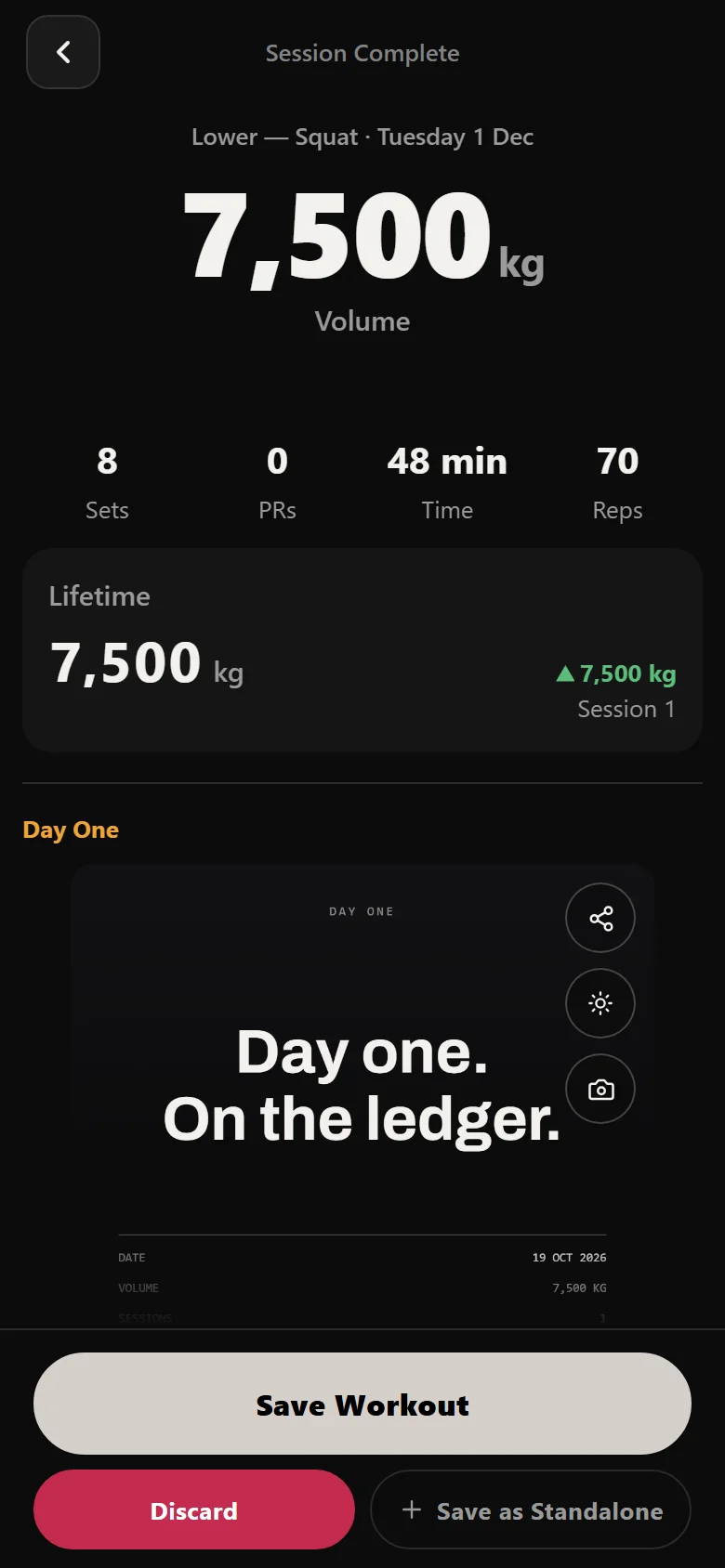
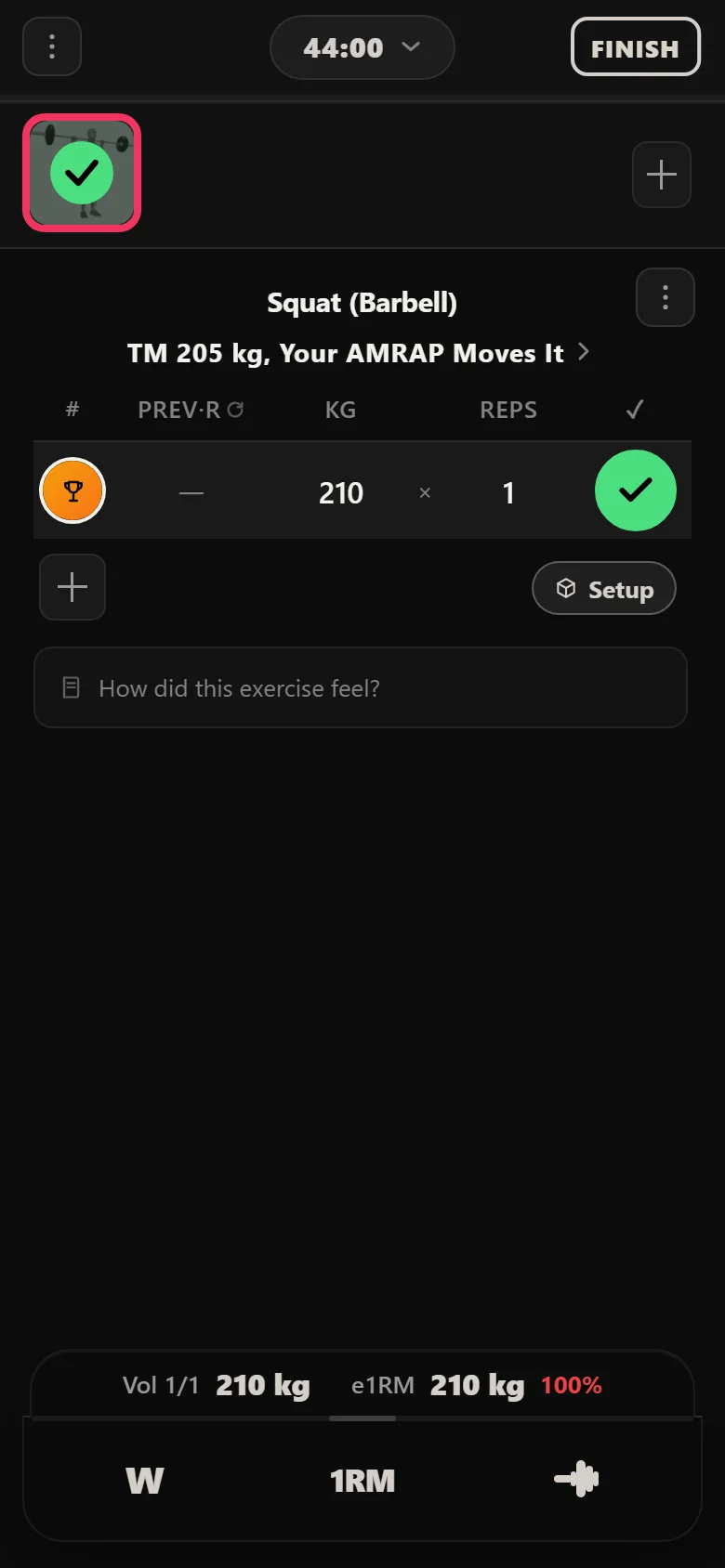
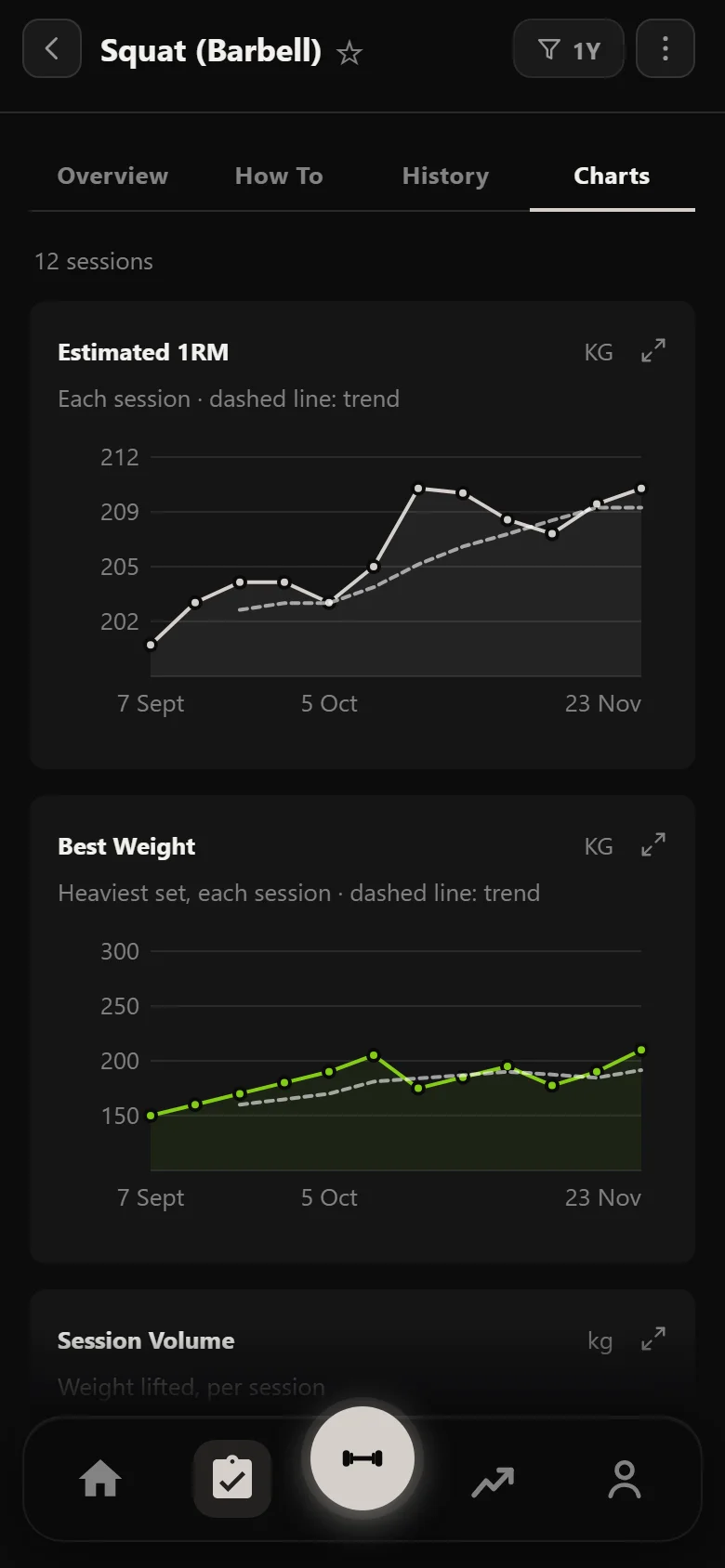
The block ends the way week 6 ended, on a single. This run finished at 210 kg on a squat that started the block against a 200 kg training max, and that final number becomes the reference for whatever you run next.
Twelve weeks, one setup screen, and two numbers entered by hand along the way: the top sets, and the test result.
What it looks like afterwards
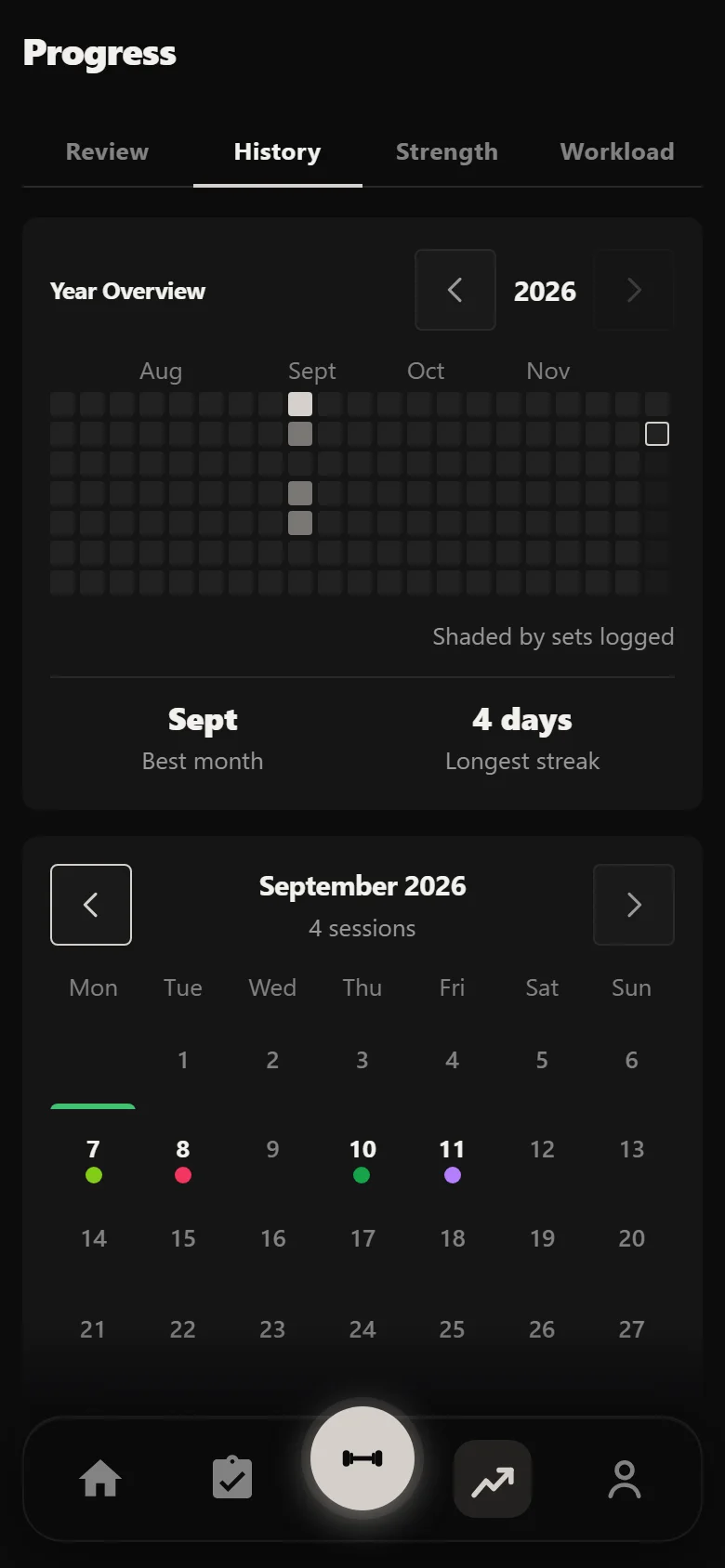
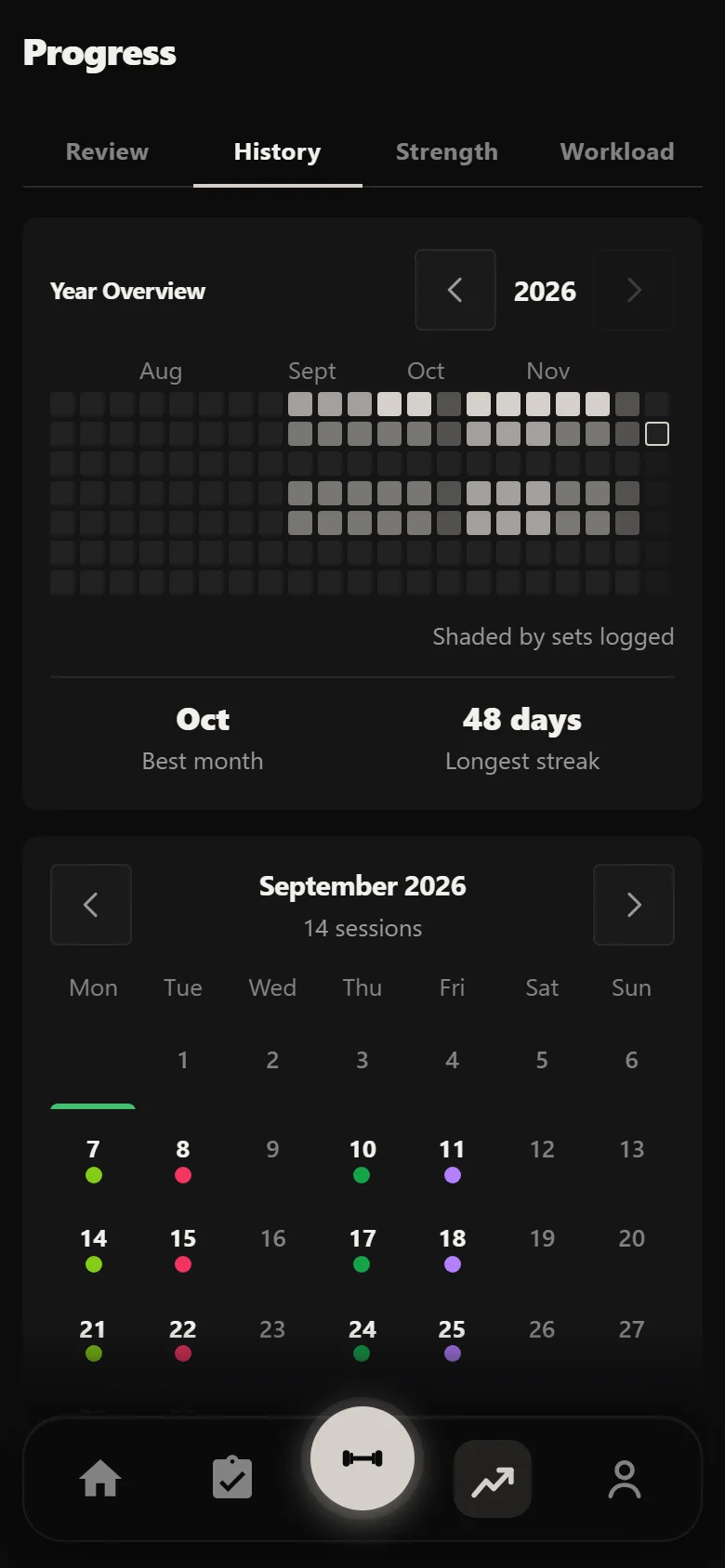
The calendar shows the shape of the chart without anyone explaining it: two dense five-week runs with a thin test week between them, and a single session at the end.
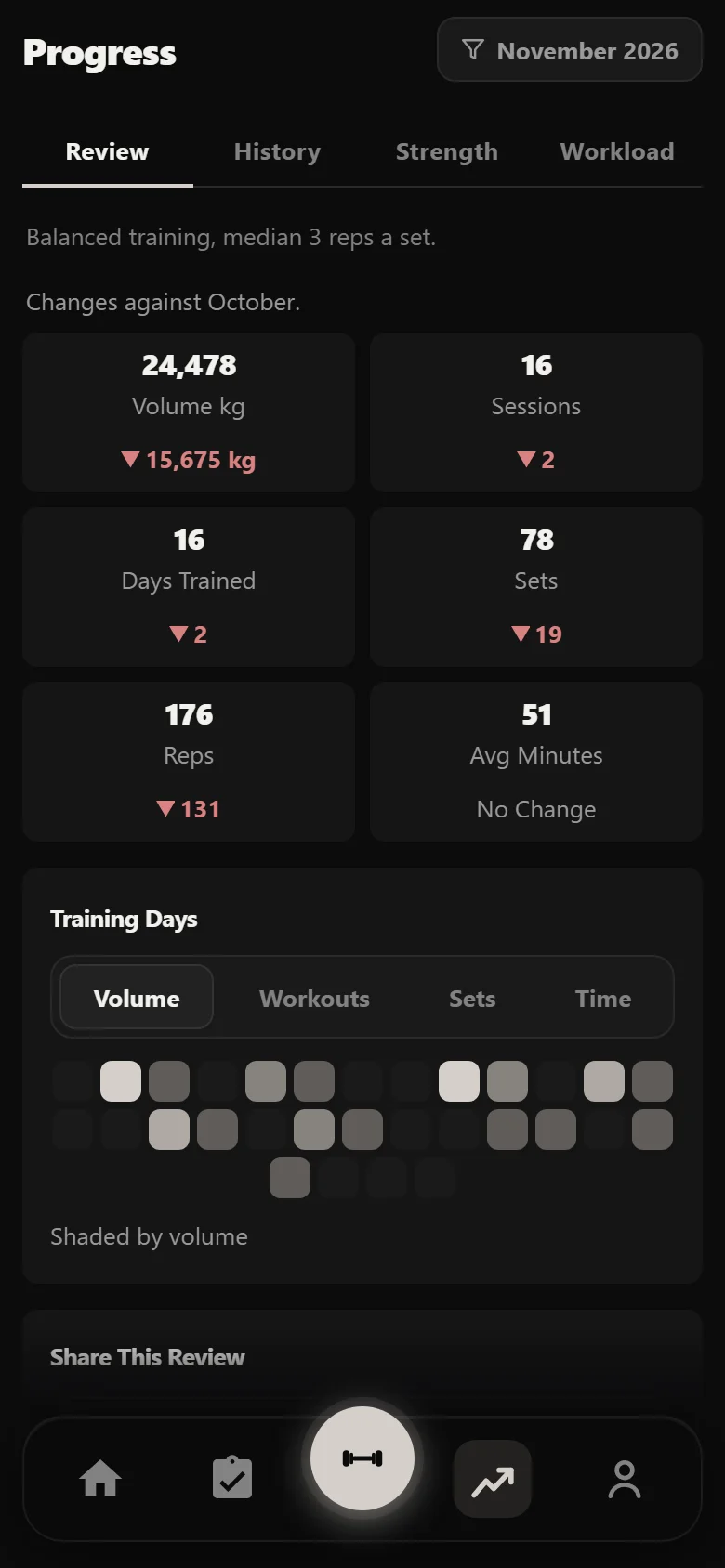
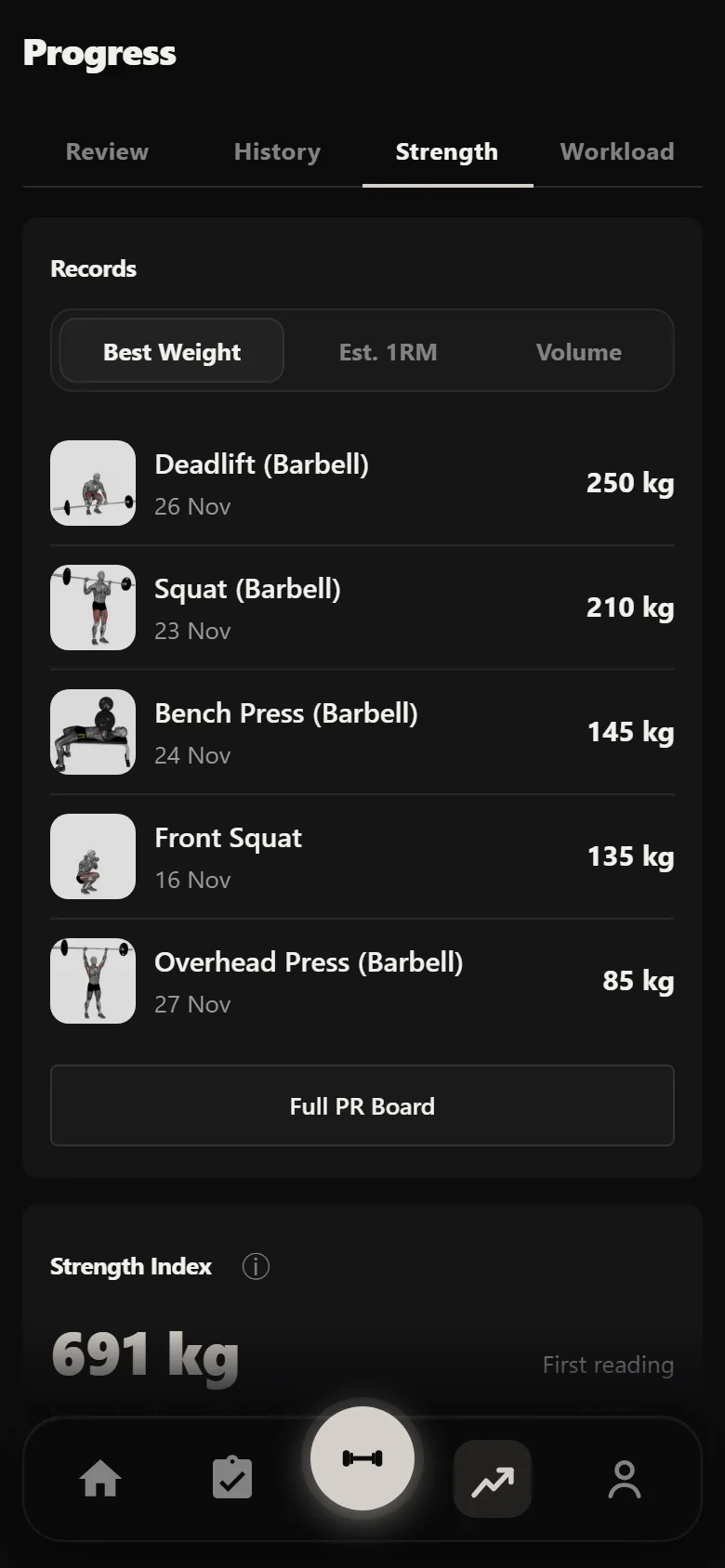
The Review tab reads the block a month at a time against the month before, and the Strength tab adds the main lifts' estimates into one Strength Index. The squat's estimated one-rep max chart is the honest one to read here, because it is built from the rep maxes actually worked up to each week rather than from anything the app prescribed.
The payoff: 80 kg to 135 kg, none of it typed in
The Tier 1 climb belongs to the lifter, so the fair before and after is the lift where the app owned every decision. Two screenshots of the same front squat, ten weeks apart, on the same screen and against the same 160 kg training max.
It opened at 80 kg and finished at 135 kg. Every weight in between came out of the chart, resolved against a number entered once in setup.
80 kg to 135 kg on the front squat, with the app deciding every weight along the way.
Common questions
Why is the Tier 1 weight blank when I open the session?
Because the program asks for a rep max, not a percentage. Week 1 wants a ten-rep max, week 3 a six-rep max, and so on down the ladder. Only you can judge what that is on the day, so Durata leaves the top set for you and fills in everything underneath it.
Why do the sets under the top set behave differently after week 6?
They are two different rules. In the first block the drops are percentages of your training max, so they never react to the top set. In the second block they are back-off sets, taking 15% and later 10% off whatever you just lifted, so they follow the day you actually had.
Do I have to update my training maxes after the week 6 test?
Yes, and the day name says so. The second half of the block computes its prescribed weights against the maxes on file, so if you skip the update the whole block runs against your week 1 numbers. On this run the squat went from 200 kg to 205 kg.
Why did the front squat's training max never change?
It is not meant to. Tier 2 percentages run against a fixed reference for the whole twelve weeks, which is what lets the wave climb, reset in week 7, and finish higher than it started without anyone touching a setting.
Is Durata free?
Yes. Durata is free to use, with the full program catalogue, automatic progression maths, rest timers and PR tracking. Everything in this walkthrough is in the app.
Put it into practice
Durata is free to use — 50 proven programs, automatic progression, rest timers and PR tracking, all on your phone.