


PHAT in Durata: the speed sets follow the power day
PHAT splits the training week in two. Two power days work the big lifts heavy in the 3 to 5 range. Three hypertrophy days chase size in the 8 to 20 range. The join between the halves is the part people remember: every hypertrophy day opens with six sets of three explosive reps at 65% of what the matching power lift is currently doing.
That percentage is the interesting problem for an app to solve. It is not a fixed weight and it is not a training max. It is a live reading of another day's working weight, and it has to move every single time that lift moves. This walkthrough follows a five-week run and watches whether it does.
Every number below came off a real drive of the app rather than a plan on paper. The power squat opens at 145 kg and the block covers 25 sessions.
Finding the program
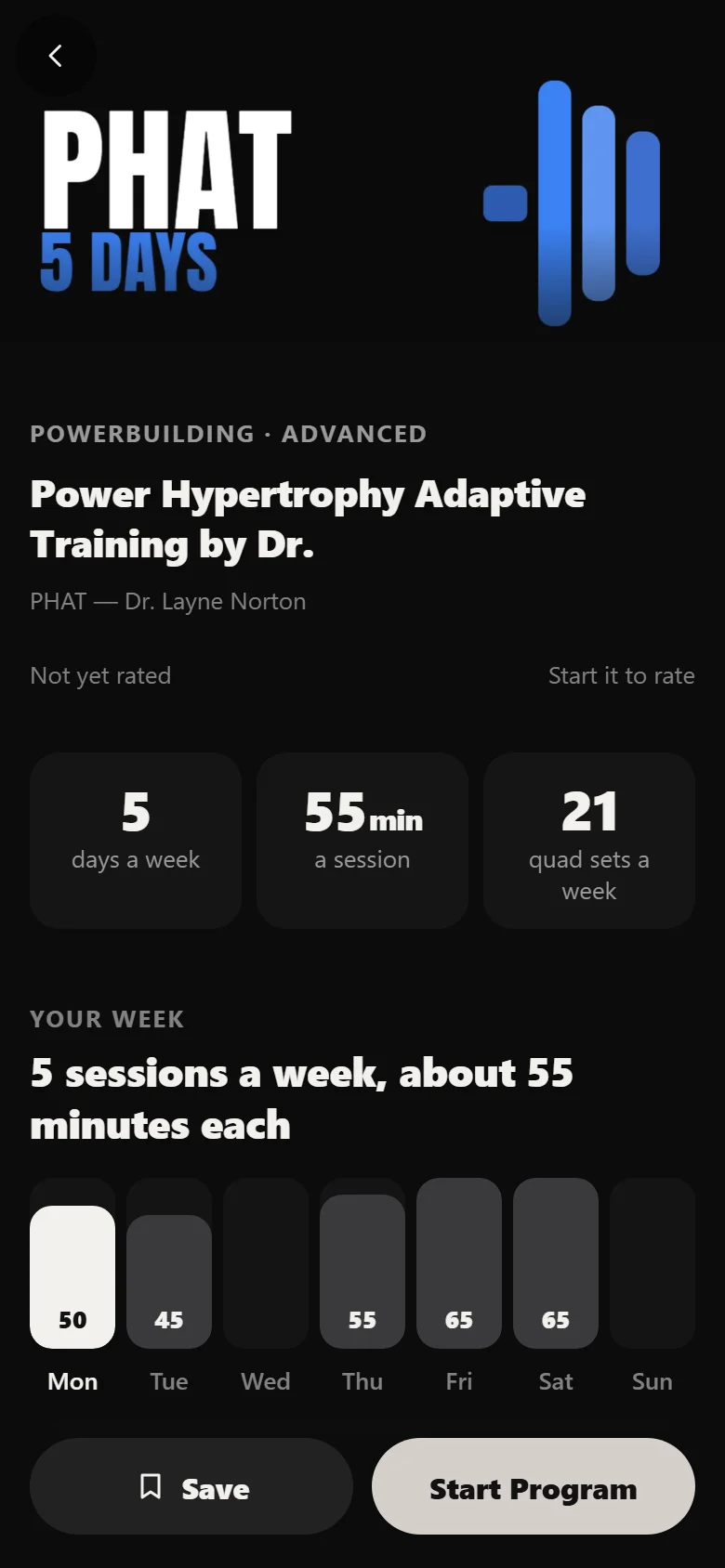
In Discover, PHAT sits on the Powerbuilding shelf, marked Advanced, at five days a week. Search finds it by name, or Filter narrows the shelves by level and days a week. Tap the cover for a quick look, then View Program for the full page.
PHAT is written for someone who has already spent a couple of years on straight linear work, which is why it is marked Advanced rather than sitting with the beginner programs.
What it asks for before you start
The program page shows the whole week before you commit anything: the two power days, the three hypertrophy days, and the session shapes inside each one. The speed work is right there at the head of every hypertrophy day, six sets of three at 65%, with a coach tip on the first set telling you to move the bar as fast as you can.
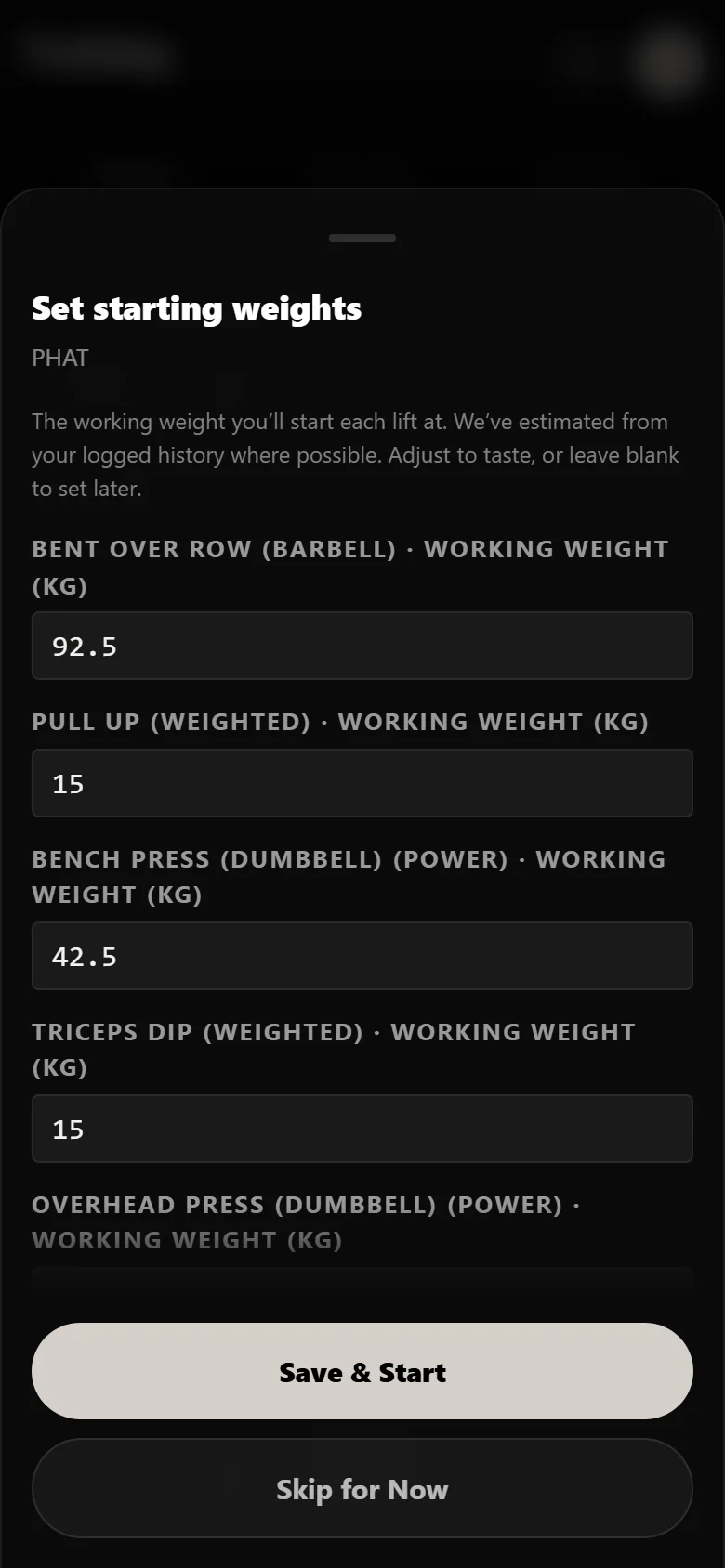
Setting up asks for a working weight per lift, with no test day and no percentage table to fill in. The power squat starts at 145 kg here, the power dumbbell bench at 42.5 kg, the barbell row at 92.5 kg.
Worth knowing before you type: the speed weight is not one of the questions. You never set it, because the app works it out from the power-day answer you just gave. That is the first sign of how the two halves of the week are wired together.
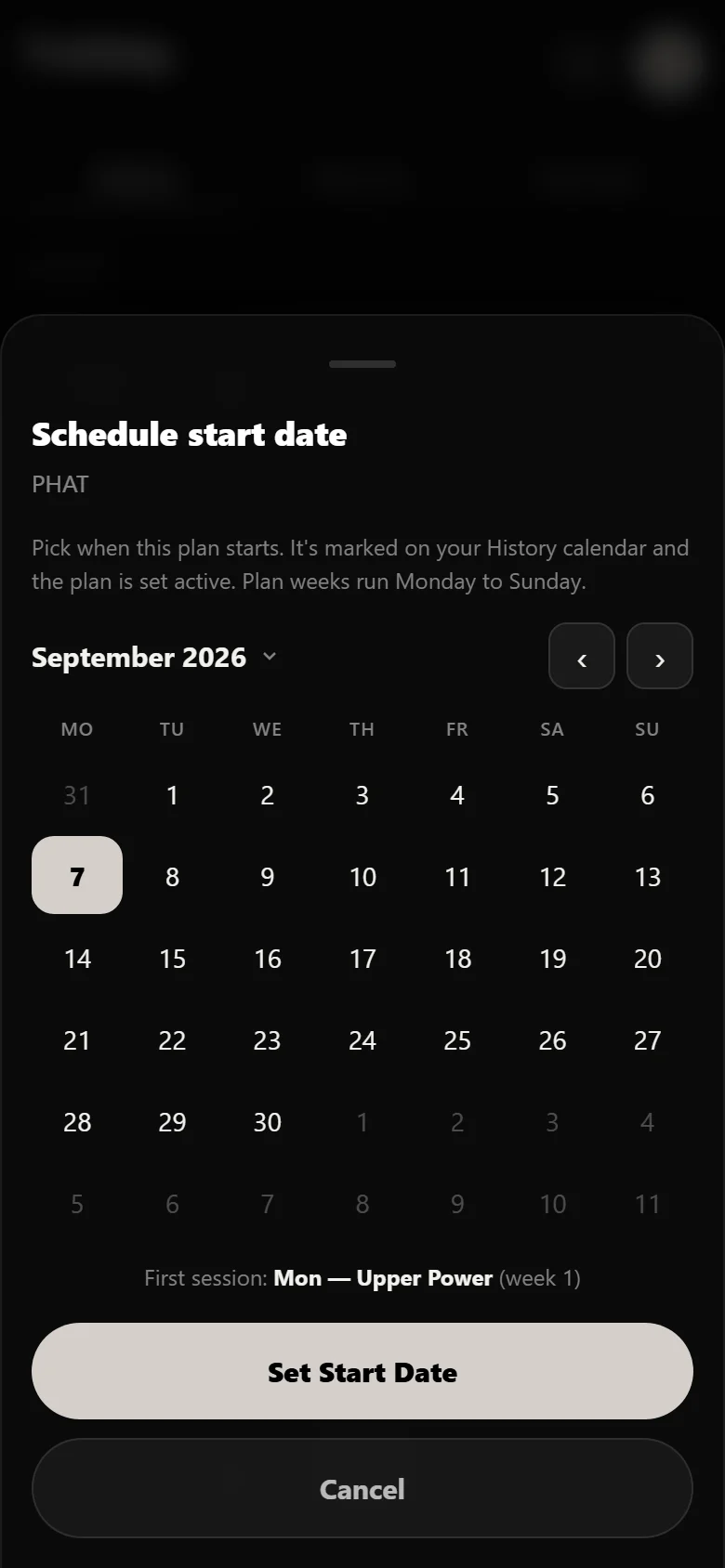
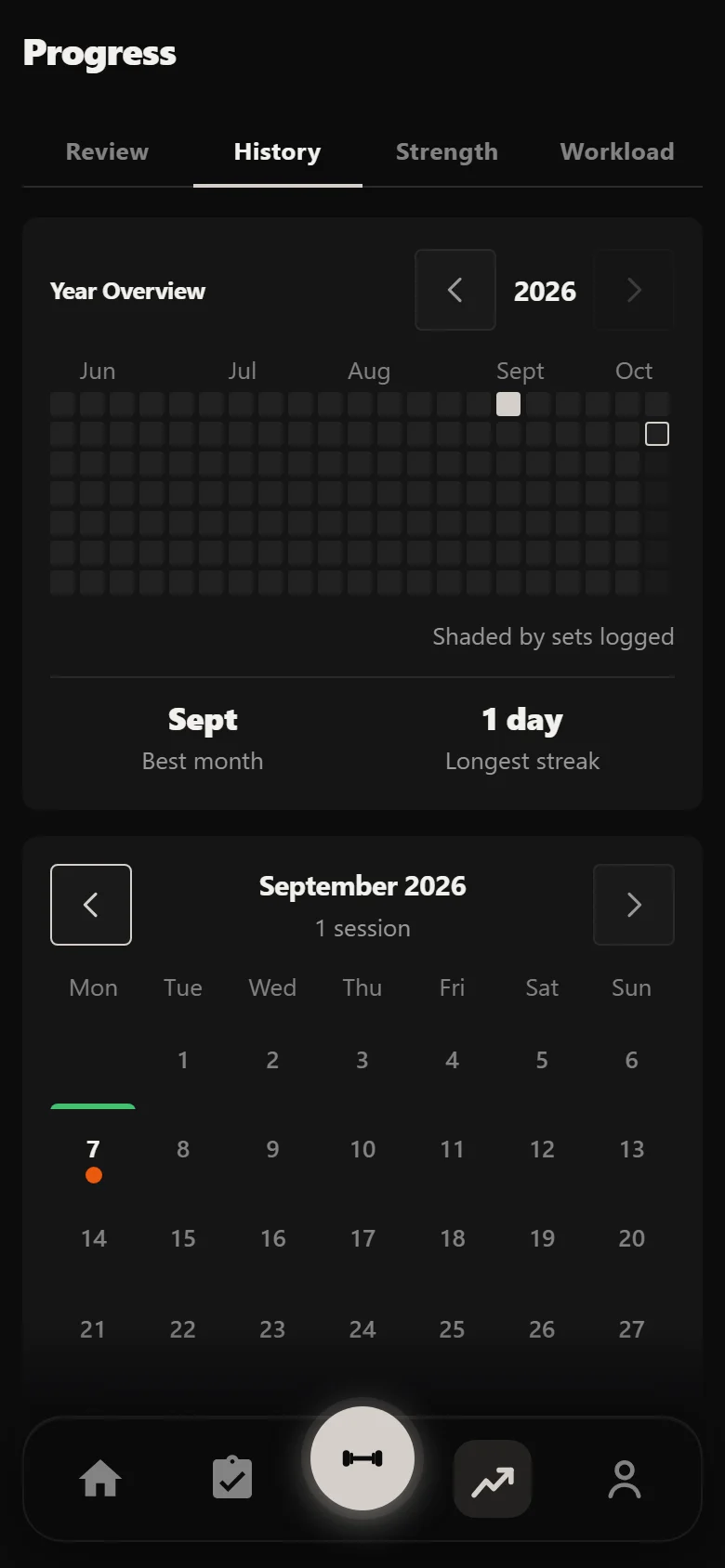
Pick a start date and the block is scheduled. Every session date in the run flows from it, and the History calendar marks it straight away.
The first power day
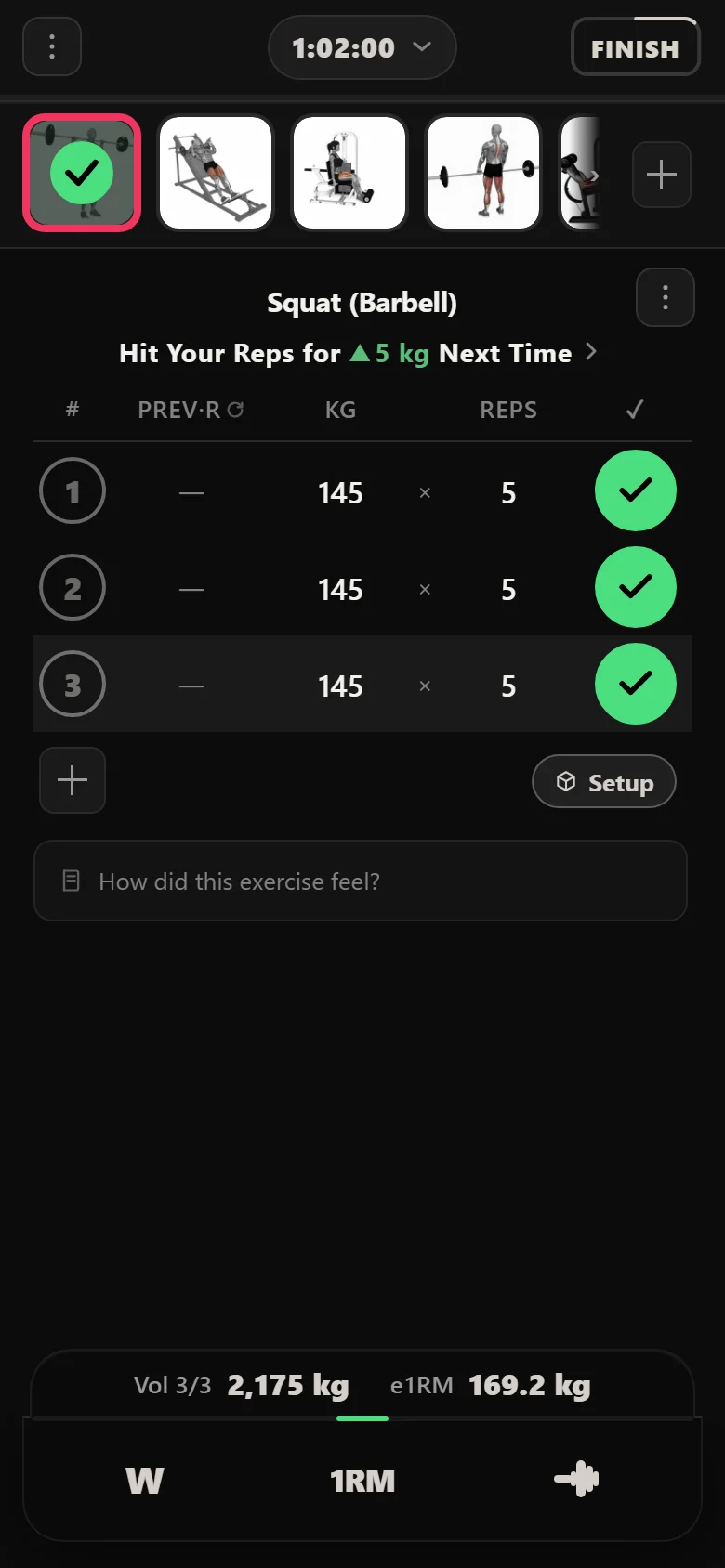
Lower Power opens with the squat at 145 kg for three sets in the 3 to 5 range, then hack squat, leg extension, Romanian deadlift, leg curls and calves behind it. The chip under the exercise name states the rule while you are training rather than hiding it in a settings screen: complete the prescribed sets and the app adds 5 kg for next time.
You do not tell the app you succeeded. It reads the sets you logged and moves the weight itself, so the rule on the card is the only place you see it happen.
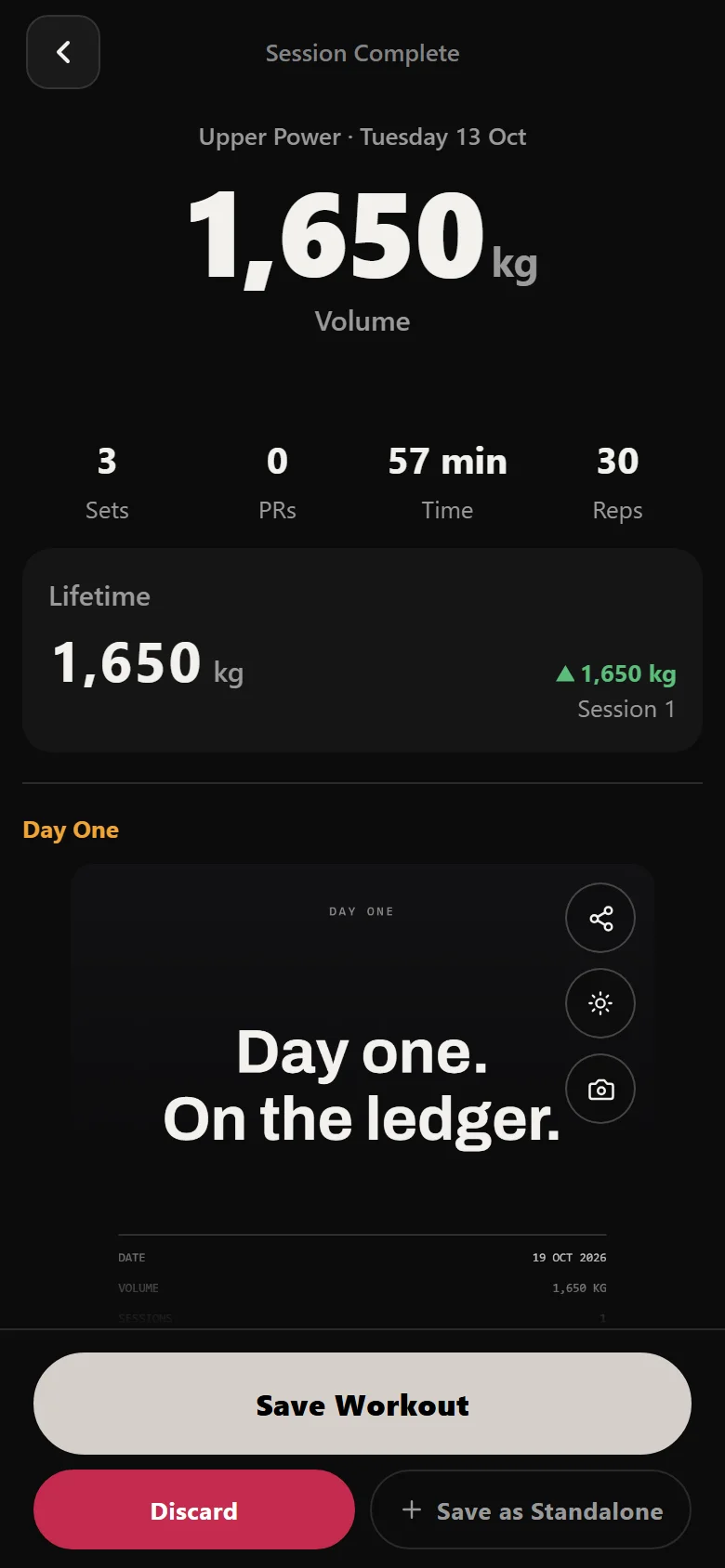
The session summary tallies duration, every set, and the volume before it saves. The first session lands on the start date and the calendar begins to fill in behind you.
The power squat, five weeks of it
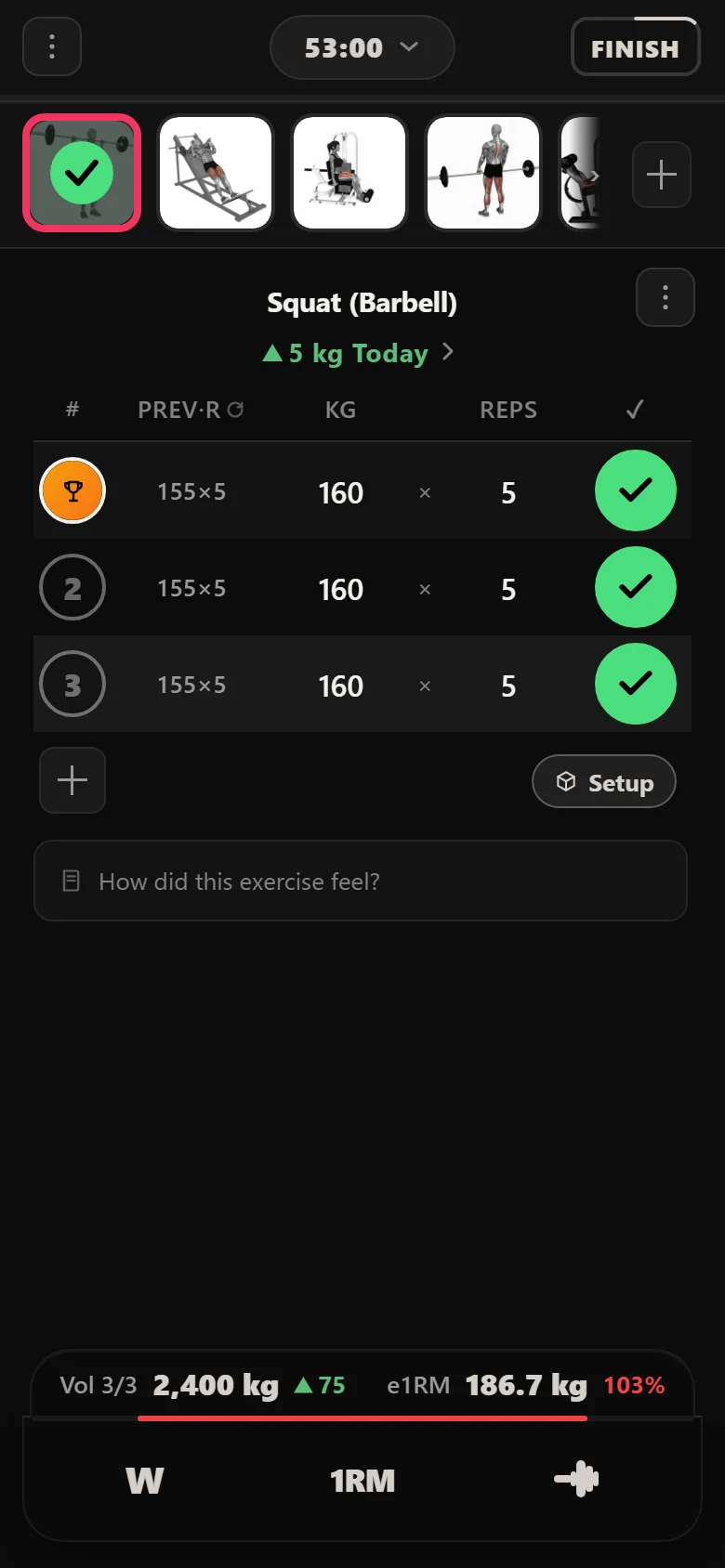
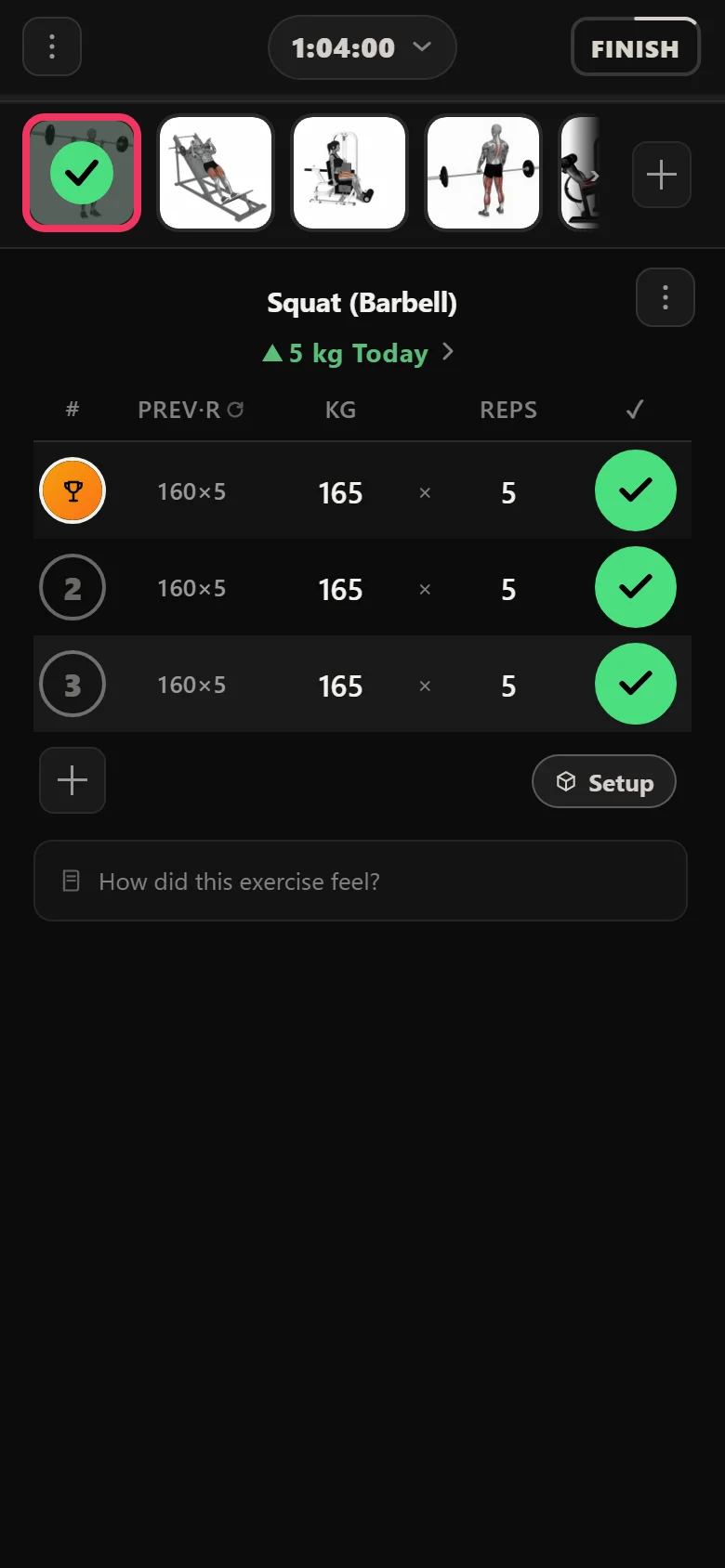
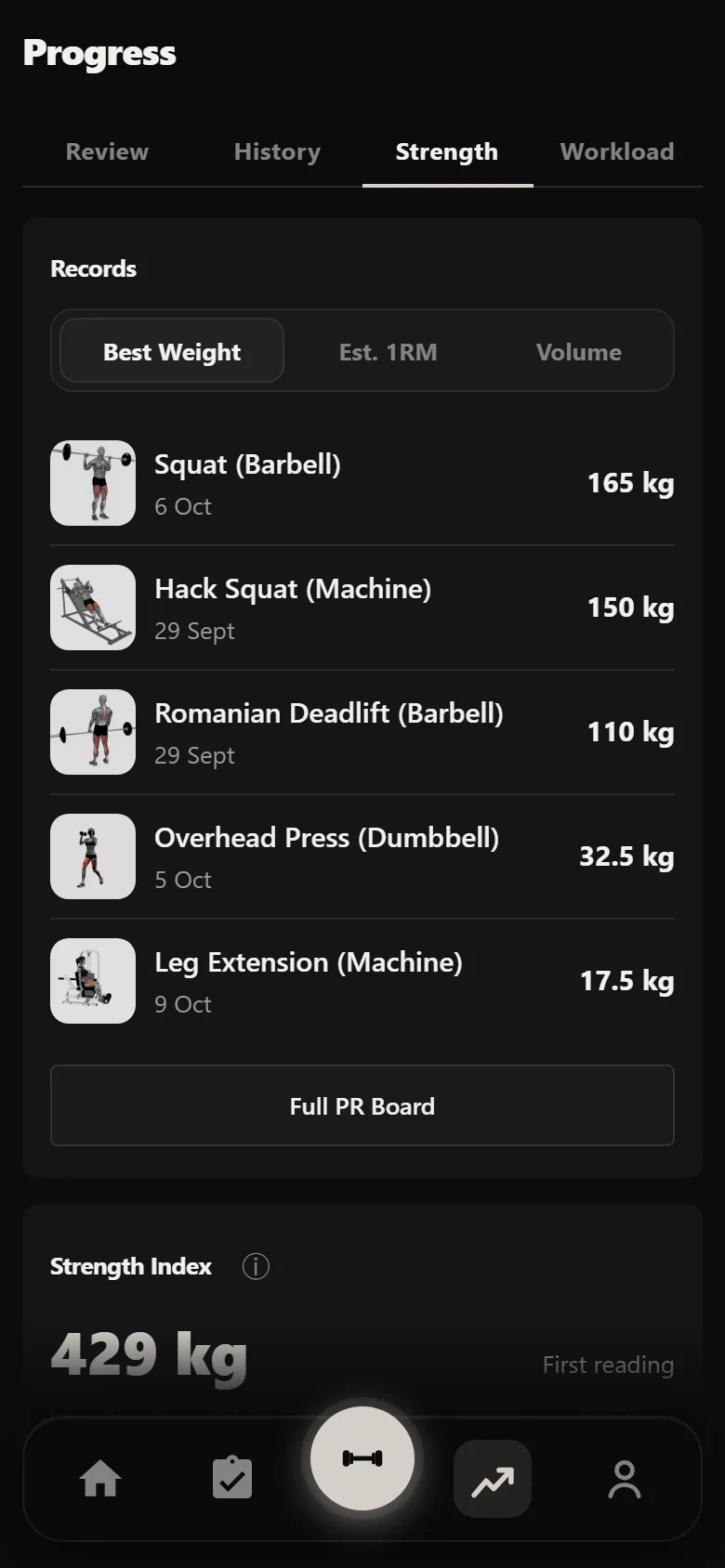
The squat trains once a week on Lower Power, so the block gives it five appearances. It takes 5 kg each time and never gives any back: 145, 150, 155, 160, then 165 kg on the last one. After that final session is logged the app moves it again, to 170 kg, waiting for a sixth week that this block does not have.
There is no stall in this run and no deload. A well-judged opening weight on a five-week block does not usually produce one, and the app does not invent drama to make the chart interesting. It holds the weight when you miss and it cuts it when you miss enough times in a row, but neither happened here.
What the logger gives you week to week is small: the weight is already on screen when you arrive, the PREV column shows what you did last time, and there is no arithmetic to do between sessions.
Squat (Barbell), power day: weight on the bar
- 145S2 Session 2 — Week 1
- 150S7 Session 7
- 155S12 Session 12
- 160S17 Session 17
- 165S22 Session 22 — Week 5
The speed sets, and where their weight comes from
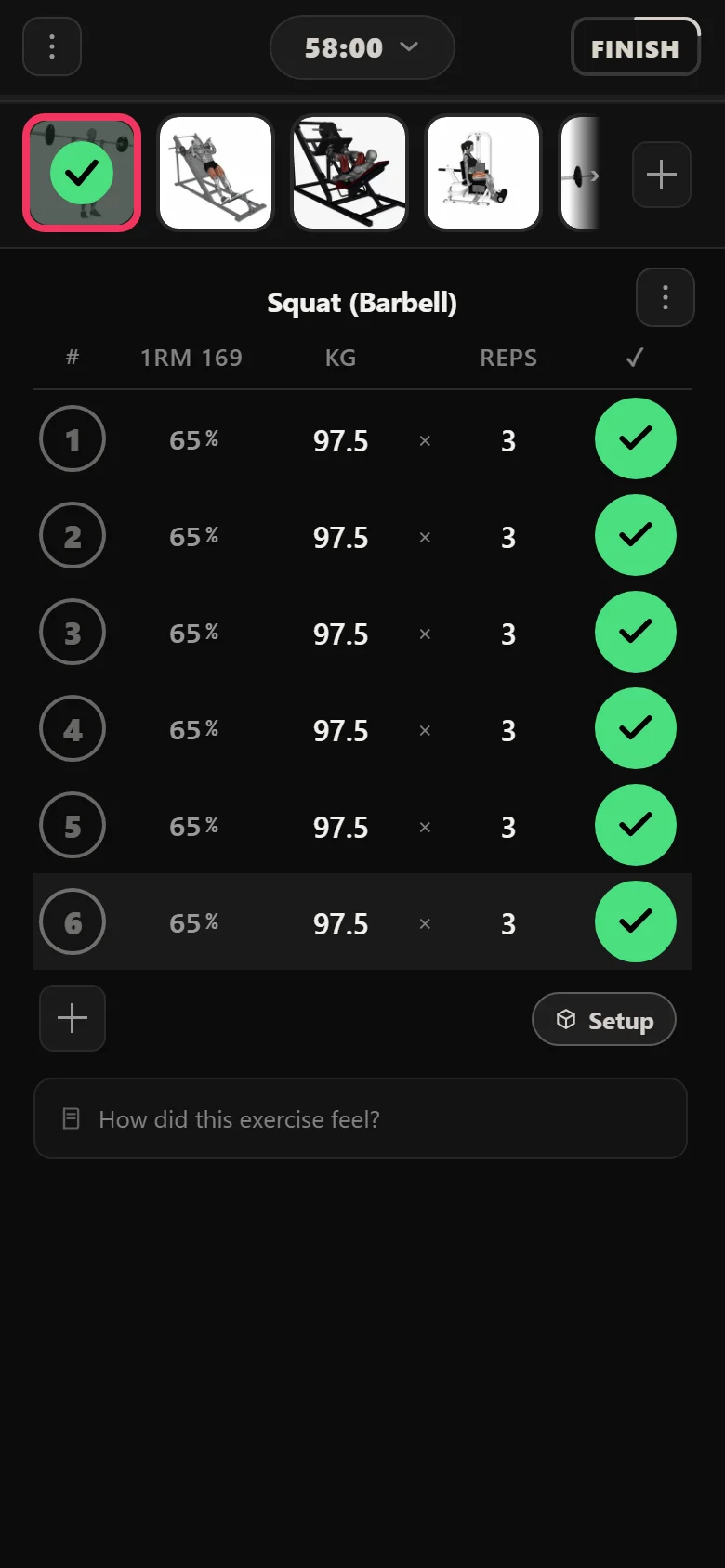
Two days after that first power squat, Lower Hypertrophy opens with the squat again, and it is not the same session at all. Six sets of three, ninety seconds of rest, and a weight nobody entered: 97.5 kg.
That number is 65% of 150 kg, which is what the power squat is carrying by then. The rule on this exercise does not track a weight of its own and it does not track a training max. It points at the power-day squat and takes a percentage of whatever that slot is currently lifting, resolved at the moment the session is drawn.
Which means it follows on its own. Week two it reads 100 kg, week three 105 kg, week four 107.5 kg, and week five 110 kg, tracking the power squat up through 155, 160, 165 and 170 kg without anybody opening a calculator or editing a template. The one time the mechanism is worth thinking about is the one time it goes wrong, and it did not go wrong here.
The same wiring runs on the other two hypertrophy days: the Back and Shoulders day opens with speed pulls off the power-day row, and the Chest and Arms day with speed presses off the power-day dumbbell bench. Three lifts, three sources, one rule.
Everything behind the speed work
Once the speed sets are done, a PHAT hypertrophy day is ordinary accessory work in the 8 to 20 range, and it runs on a different rule from the power lifts. Double progression: the weight stays put while you add reps, and only when every set reaches the top of its range does the weight go up and the reps drop back to the floor.
The chip spells that out on the card the same way the linear rule does. Hit the top of the range on all your sets and it adds 2.5 kg next time. Sit inside the range and it holds, which is not a failure, it is what most sessions look like.
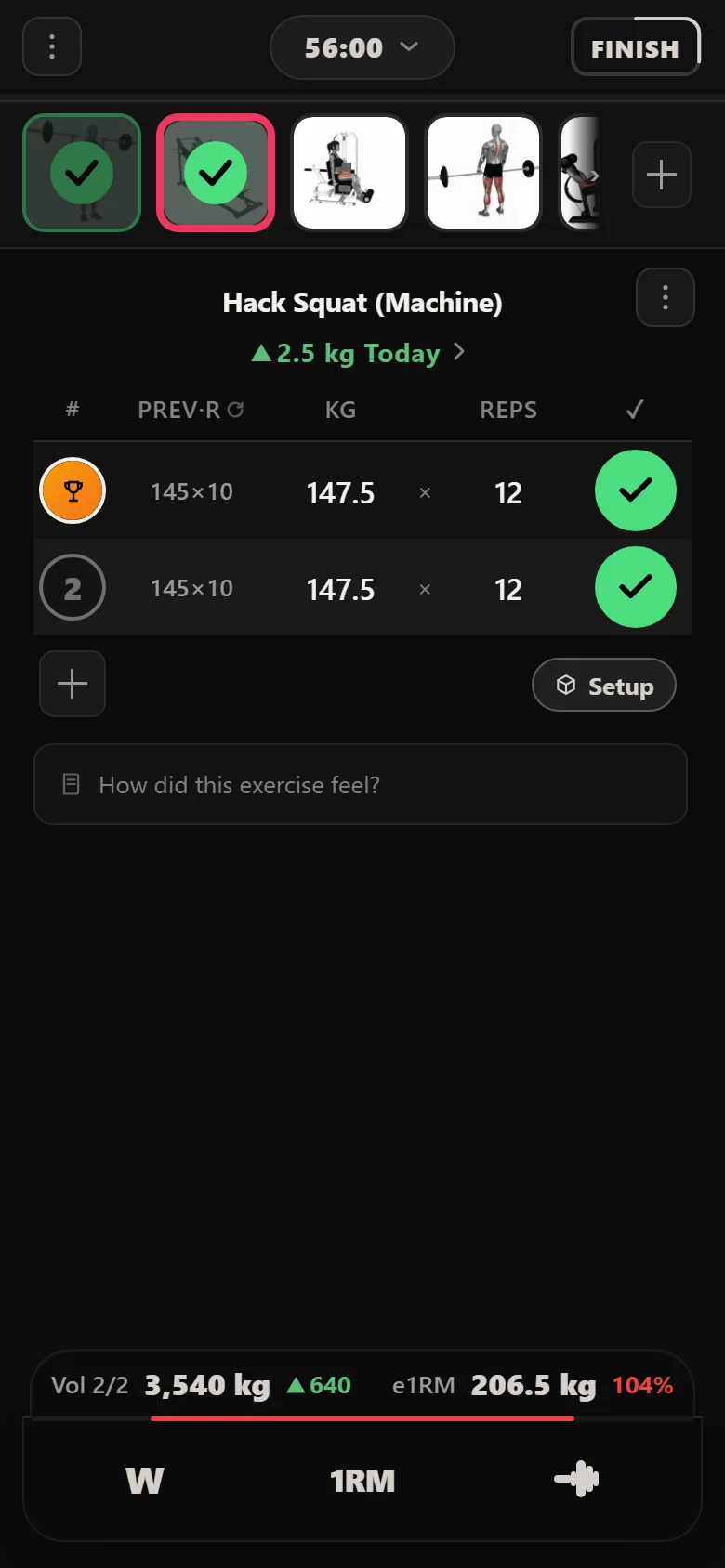
Across the block that is what the accessories did. The hypertrophy leg extension went from 12.5 kg to 17.5 kg, the seated calf raise the same, the dumbbell overhead press from 27.5 kg to 32.5 kg, and the Romanian deadlift from 105 kg to 110 kg. Small moves, earned a rep at a time, with nothing to work out between sessions.
What the block looks like from the other end
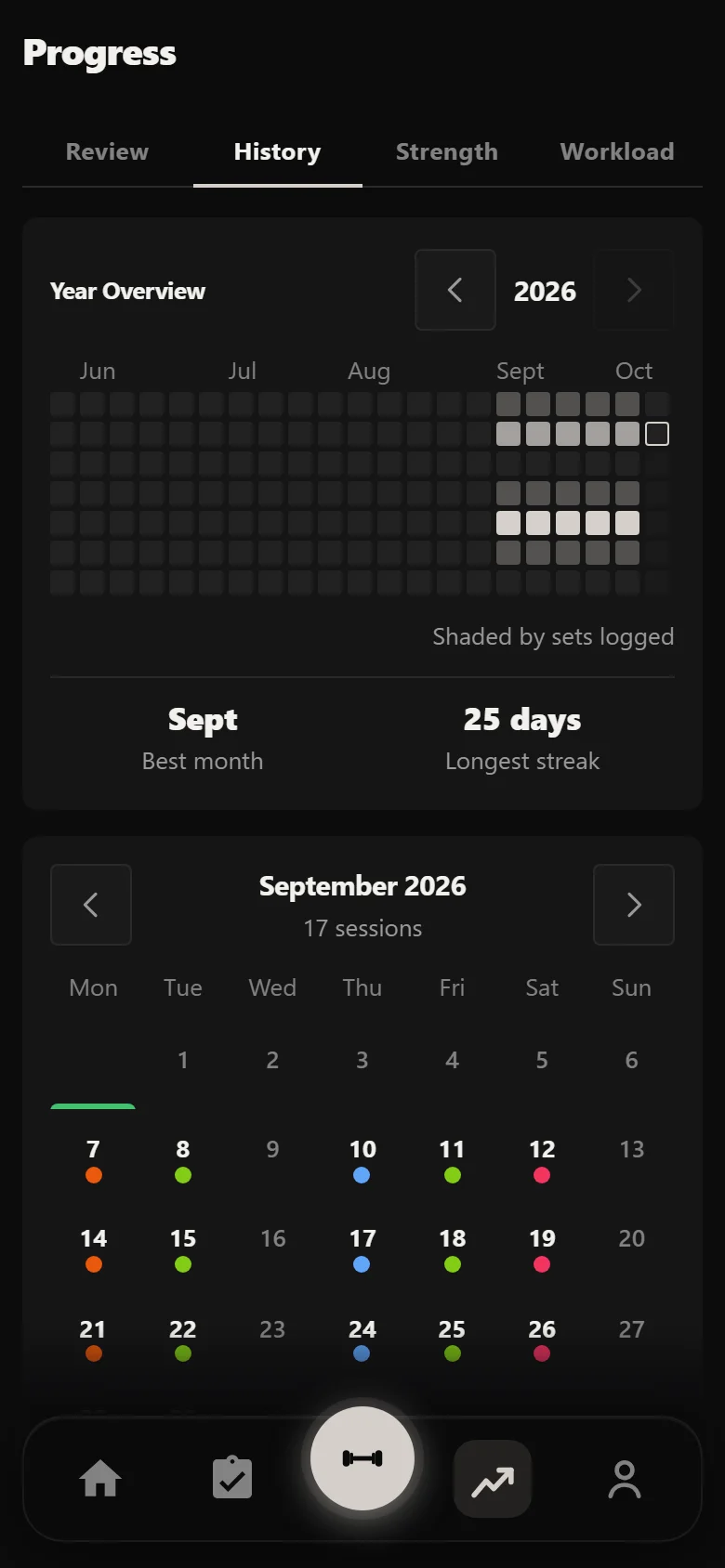
Twenty-five sessions over five weeks, five a week, sitting on the History calendar in one view. Nothing there was typed twice: the log is a by-product of training rather than a second job after it.
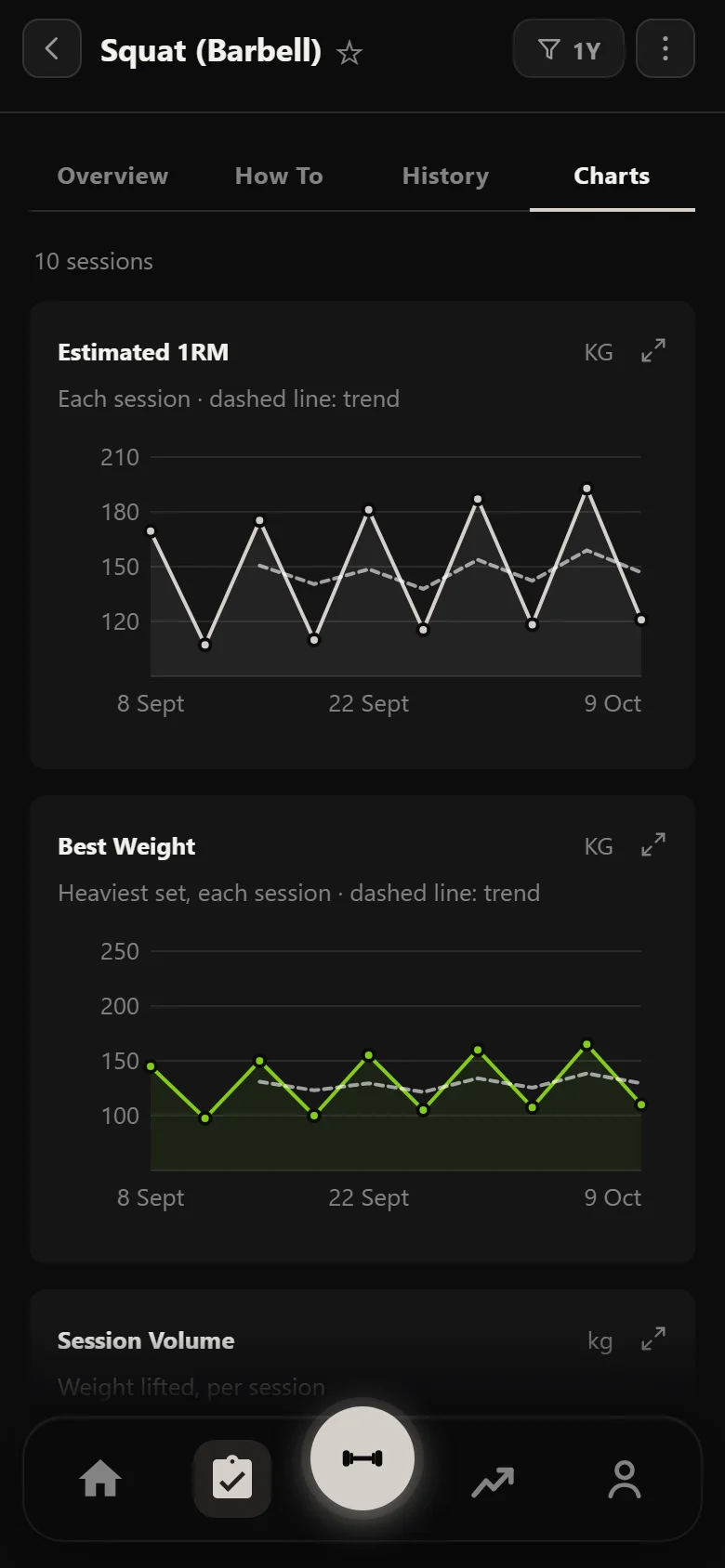
The Strength tab draws an index per lift and weekly volume across the whole run, and the squat's own estimated one-rep max chart draws the shape of the block on its own. It is a straight climb, one step per appearance, which is what a clean linear run should look like and what this one was.
The charts are worth reading against each other. The squat line going up is the power days doing their job. The volume staying high underneath it is the hypertrophy days doing theirs, speed work included.
The payoff: the lift nobody set
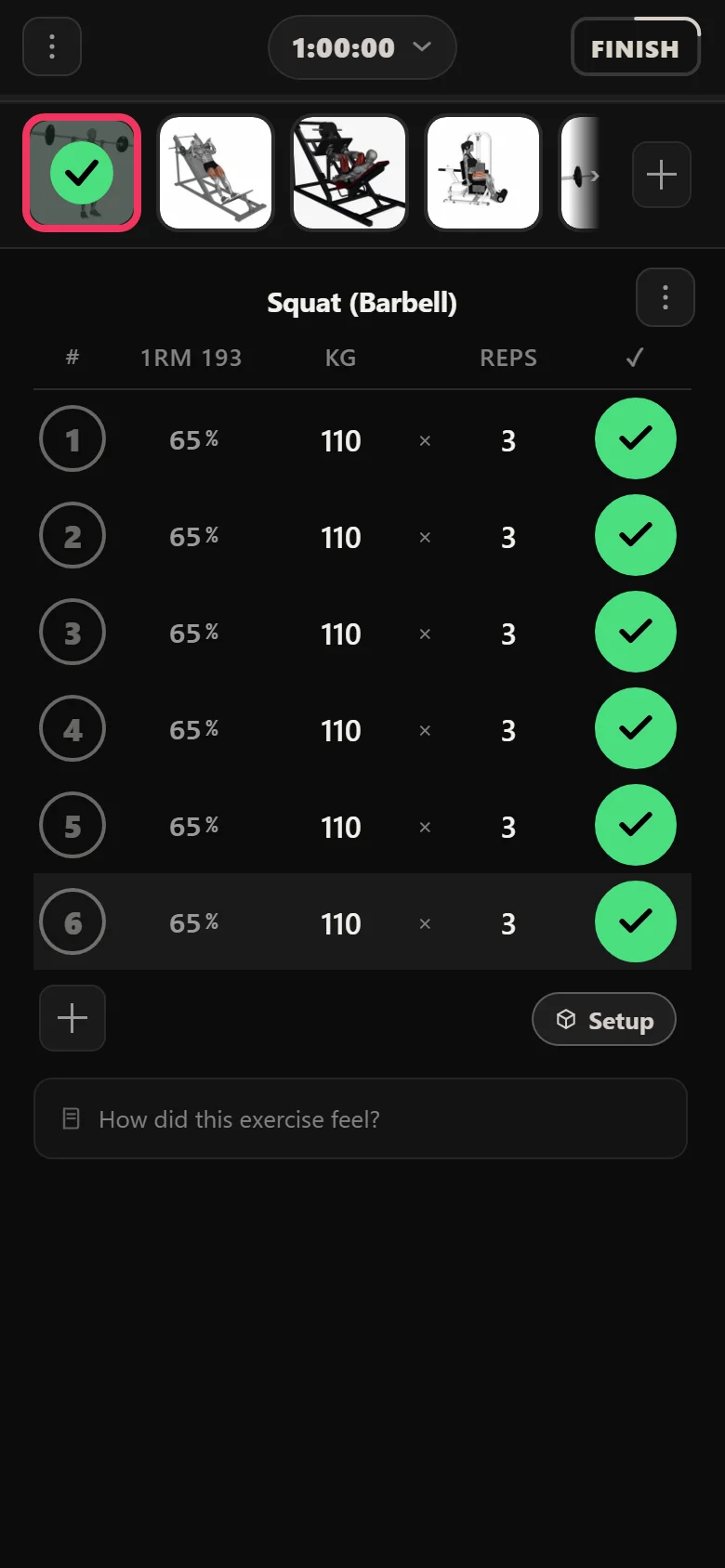
Two screenshots of the speed squat, a block apart. Same exercise, same six sets of three, same screen. Week one it sat at 97.5 kg and week five at 110 kg, and in between nobody touched it.
The power squat climbed, and the speed work climbed with it, because the rule reads the power squat's working weight every time the session is drawn. That is the whole feature: a number you never enter, kept correct for you, on the one part of the program that would be tedious to keep correct by hand.
The same 6 sets of 3, five weeks apart, at 65% of a power squat that climbed all block. Nobody entered either number.
Common questions
What are the speed sets in PHAT for?
They open each hypertrophy day with six sets of three at a light weight, moved as explosively as you can. The load is deliberately low so the bar speed is high; it is power work, not another set of hard triples. In Durata the weight is derived rather than entered, so it stays at 65% of the matching power lift for as long as you run the program.
Do I have to work out the 65% myself?
No. The speed exercises carry a rule that points at the power-day lift and takes the percentage of its current working weight when the session is drawn. In this run that produced 97.5 kg in week one and 110 kg in week five without anybody editing anything.
What happens if I miss reps on a power lift?
The weight is held rather than pushed. Miss enough times in a row and the rule cuts it and restarts the climb from lower down. Neither happened in this five-week run, which is normal for a short block off a sensible opening weight.
Why do the power lifts and the accessories behave differently?
They run different rules. The power lifts are linear: complete the prescribed sets and the weight goes up by a fixed amount. The accessories are double progression: the weight holds while you add reps inside a range, and only moves once every set reaches the top of that range.
Is Durata free?
Yes. Durata is free to use, with the full program catalogue, automatic progression maths, rest timers and PR tracking. Everything in this walkthrough is in the app.
Put it into practice
Durata is free to use — 50 proven programs, automatic progression, rest timers and PR tracking, all on your phone.