


A real 5/3/1 run in Durata, screen by screen
The fastest way to understand how Durata runs a program is to watch it happen. So here are four complete cycles of 5/3/1 For Beginners, Jim Wendler's classic strength template, from a fresh install through to the end of the fourth training-max review. Every screen below is the real app, and every weight, rep, deload and training-max bump was computed by the same progression engine you would be training on. Nothing is mocked.
If you are weighing up whether a structured program is worth it over just turning up and lifting, this is the case for it. The app puts the right weight on the bar every session, tells you when to back off, and carries your progress forward on its own, so the only thing you have to bring is the effort.
Finding the program
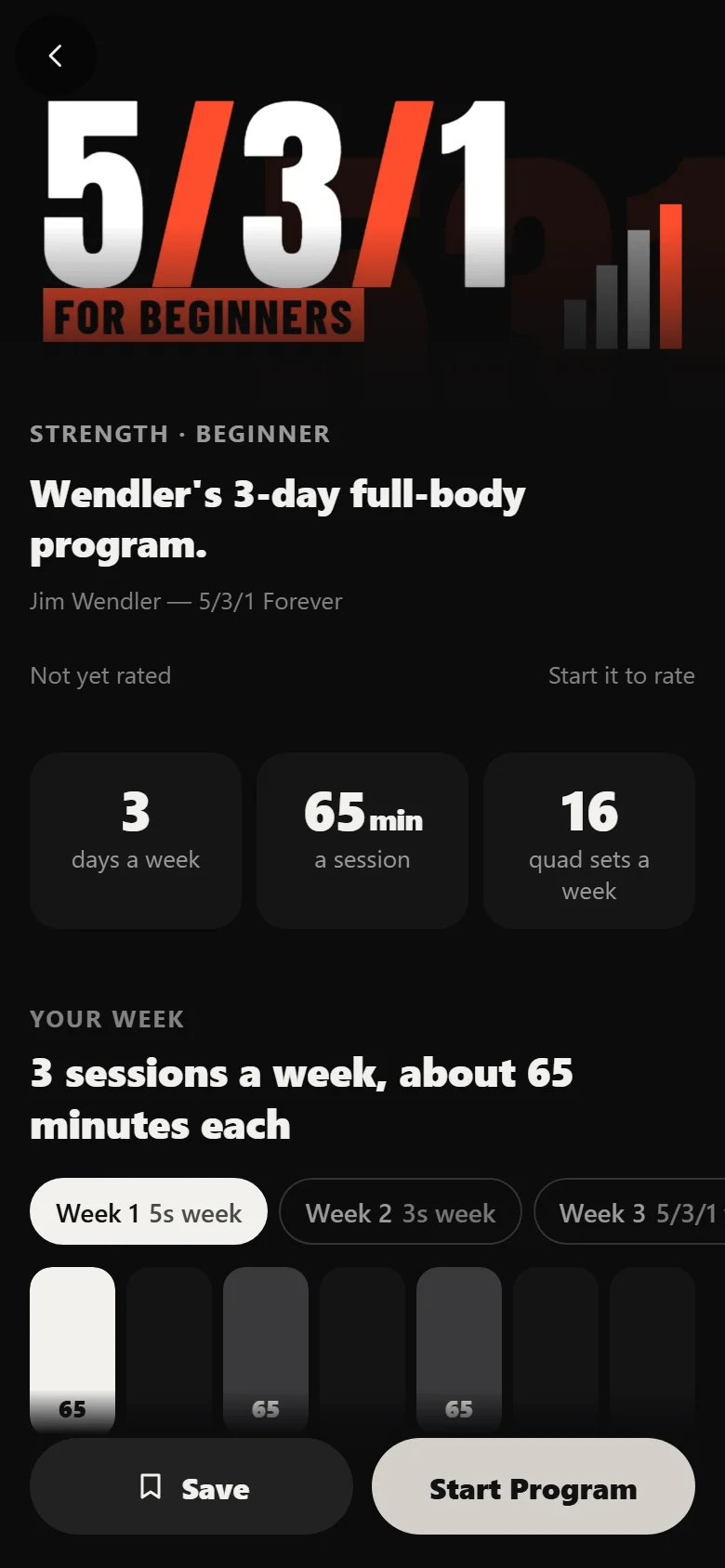
In Discover, 5/3/1 For Beginners sits on the Strength shelf, marked Beginner, at three days a week. Search finds it by name, or Filter narrows the shelves by level and days a week. Tap the cover for a quick look, then View Program for the full page.
The program page shows you the wave, the schedule and what a session looks like before you commit to anything.
Starting it: training maxes and a start date
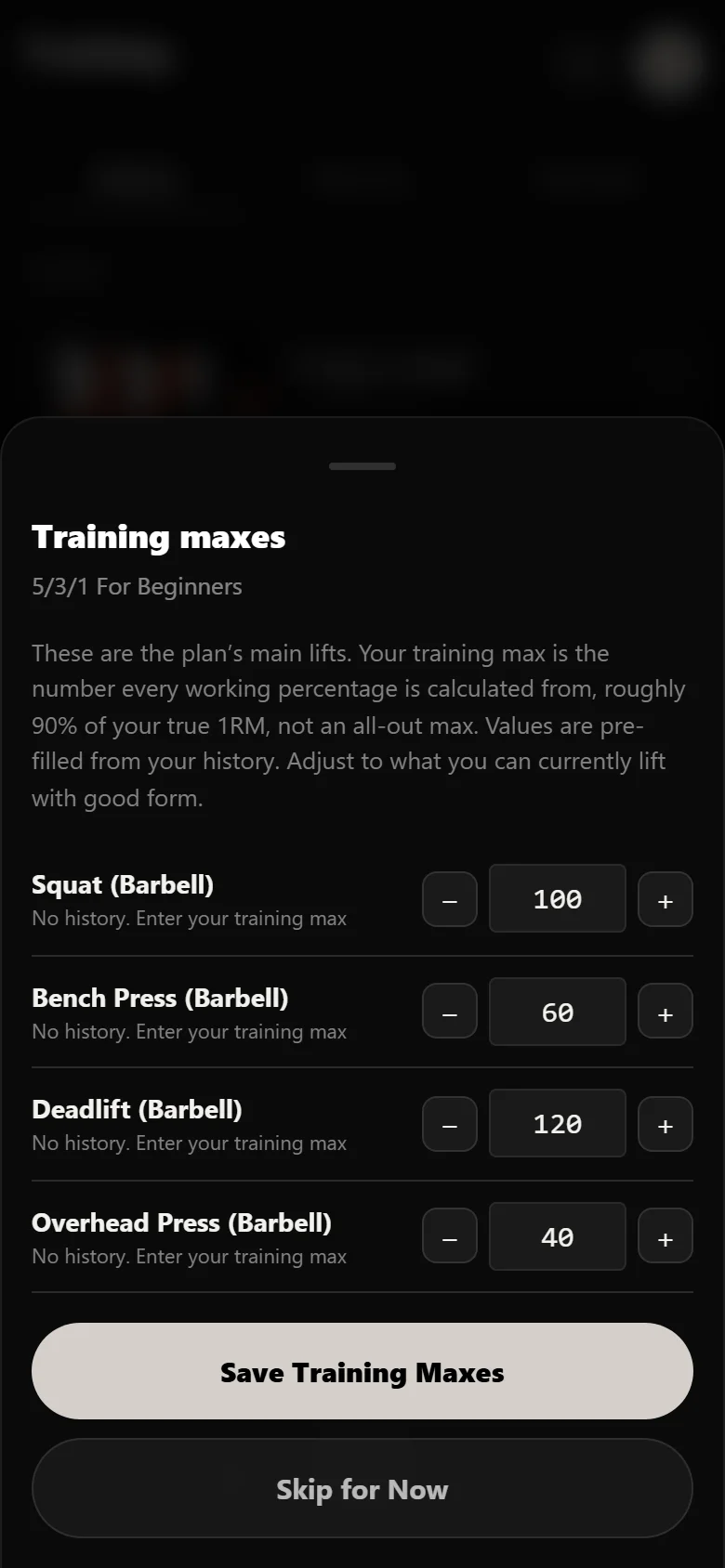
Tap Start Program and Durata runs a one-time setup. Because 5/3/1 is percentage-based, it asks for your training maxes. That is a working number, set a little below your true max, that every prescribed weight is calculated from. On this run the four main lifts start at 100 kg squat, 60 kg bench, 120 kg deadlift and 40 kg overhead press. Set them once and the app does the maths forever.
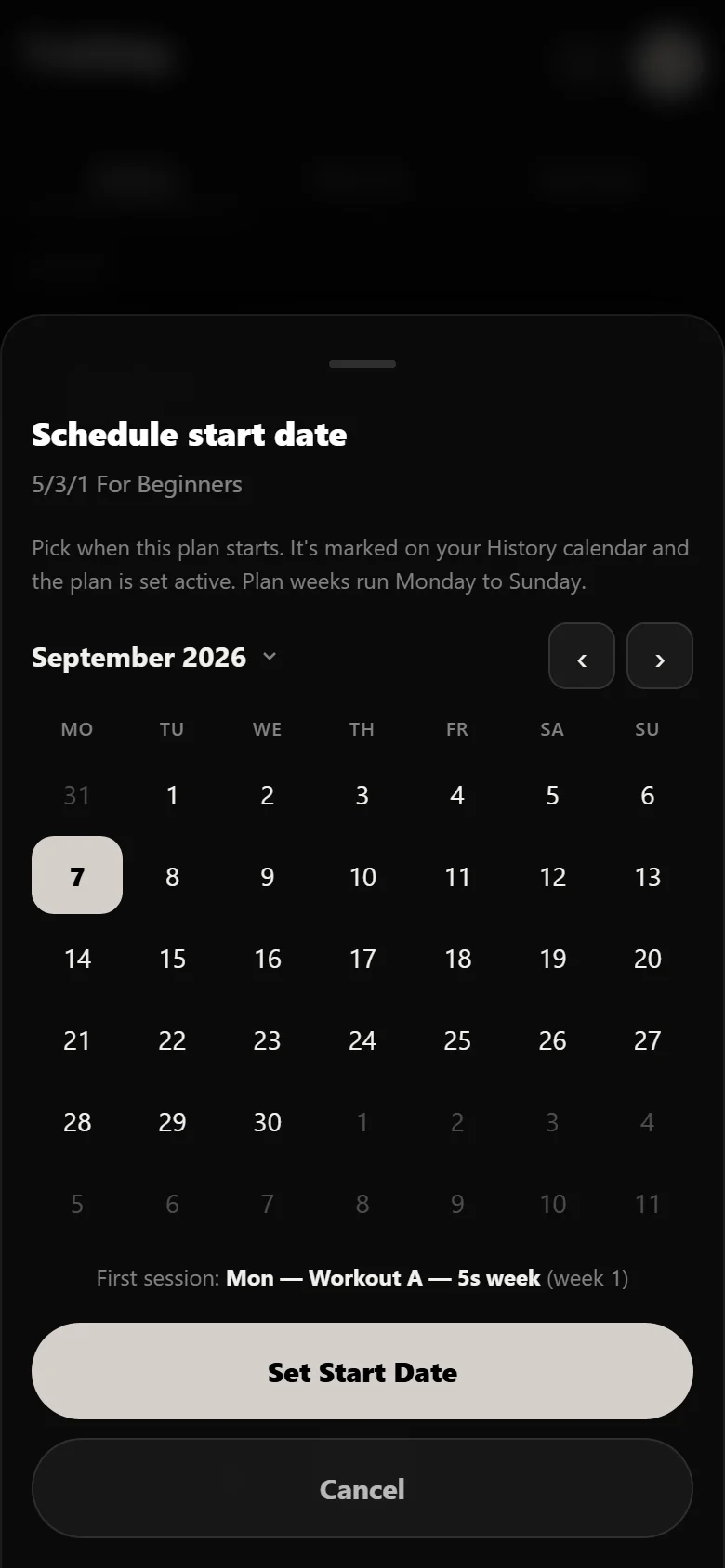
Then it offers to schedule a start date, marked on your History calendar, with next Monday recommended so your training week lines up with the program's. Pick a date and the program goes active, with the first session ready to log.
Your first session: the app does the maths
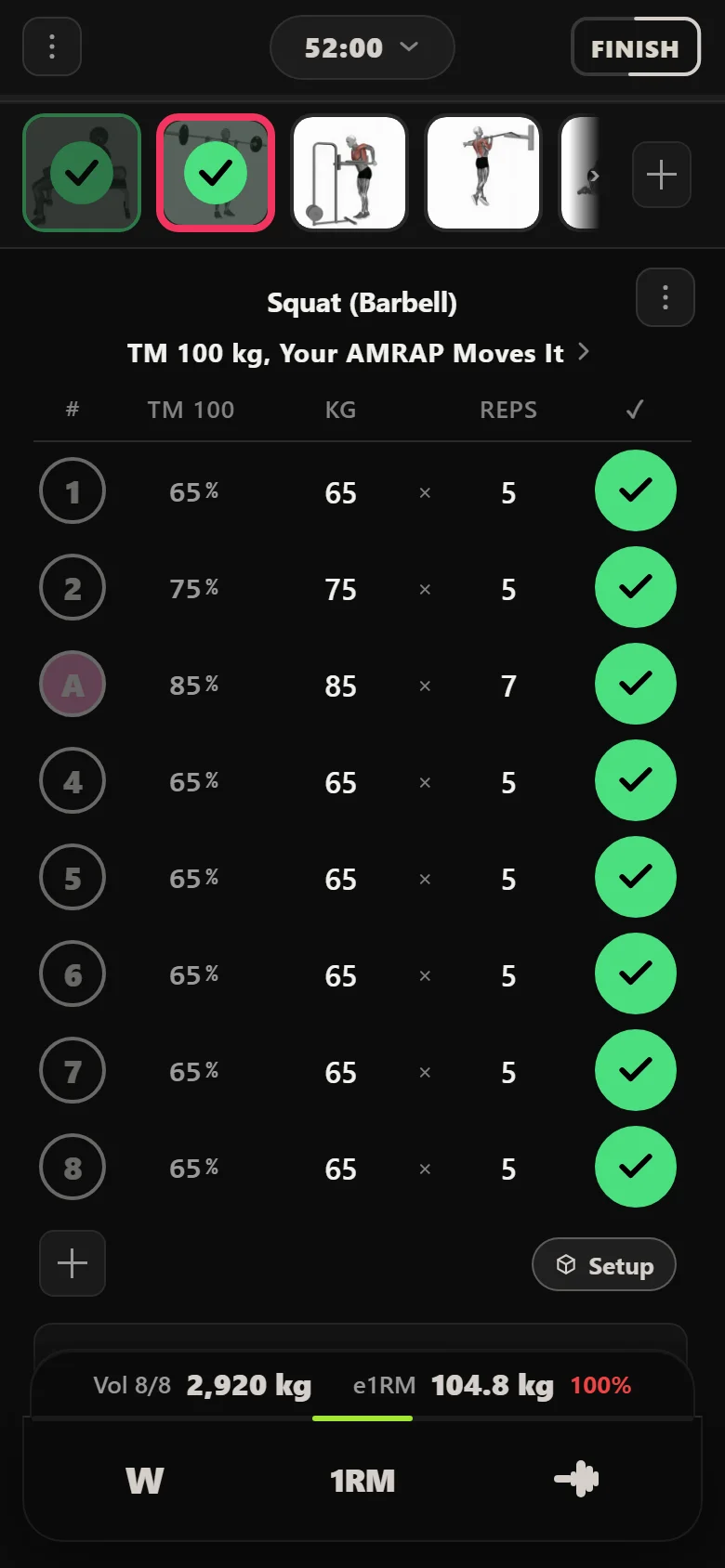
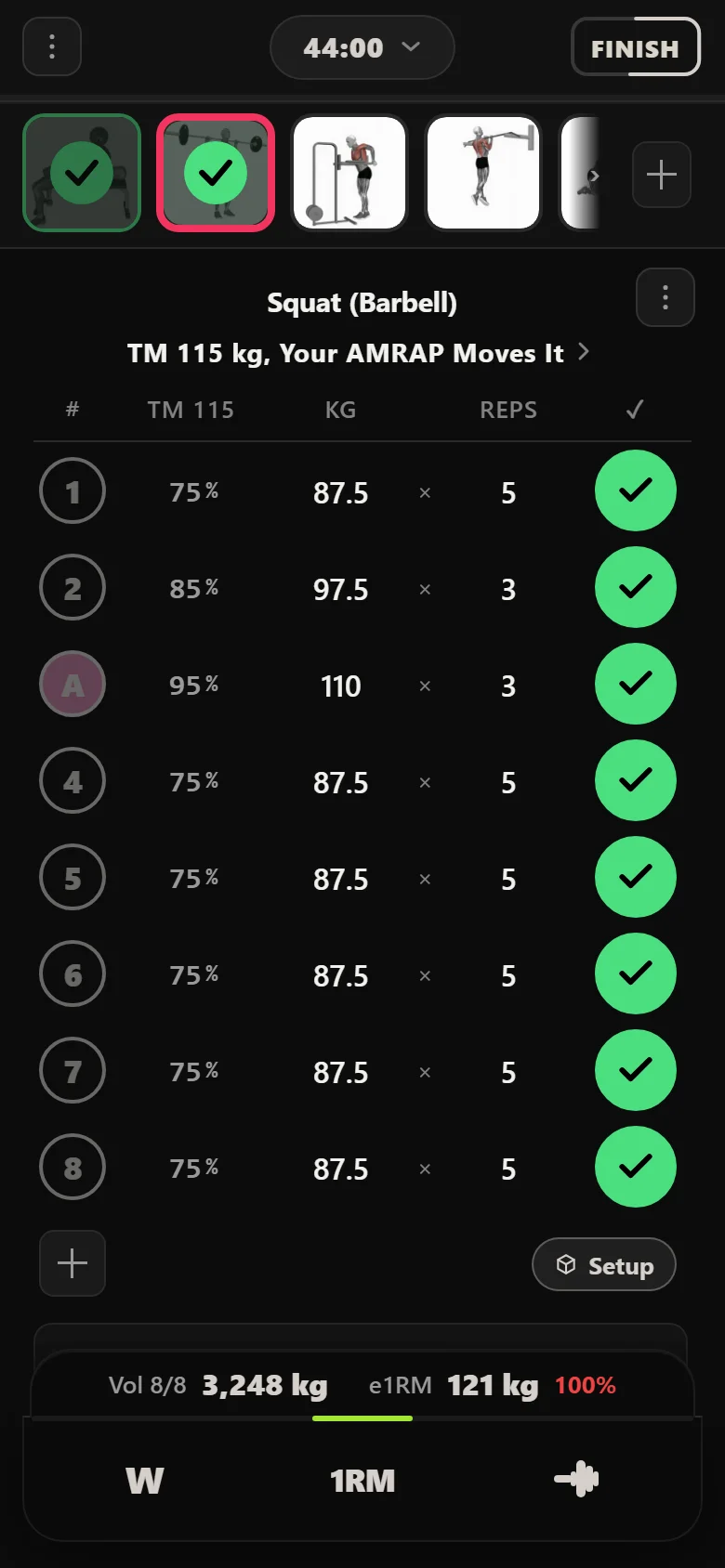
The logger opens pre-loaded with the exact sets, and the line under the lift tells you where you are: the 100 kg training max every weight is worked out from. The percentage column sits right next to the weight column, so the percentage and the kilos on the bar are on screen together and you never do the sum yourself. The top set is the AMRAP, as many good reps as possible, and on this session it goes for 7. Then five back-off sets at the first weight finish the lift.
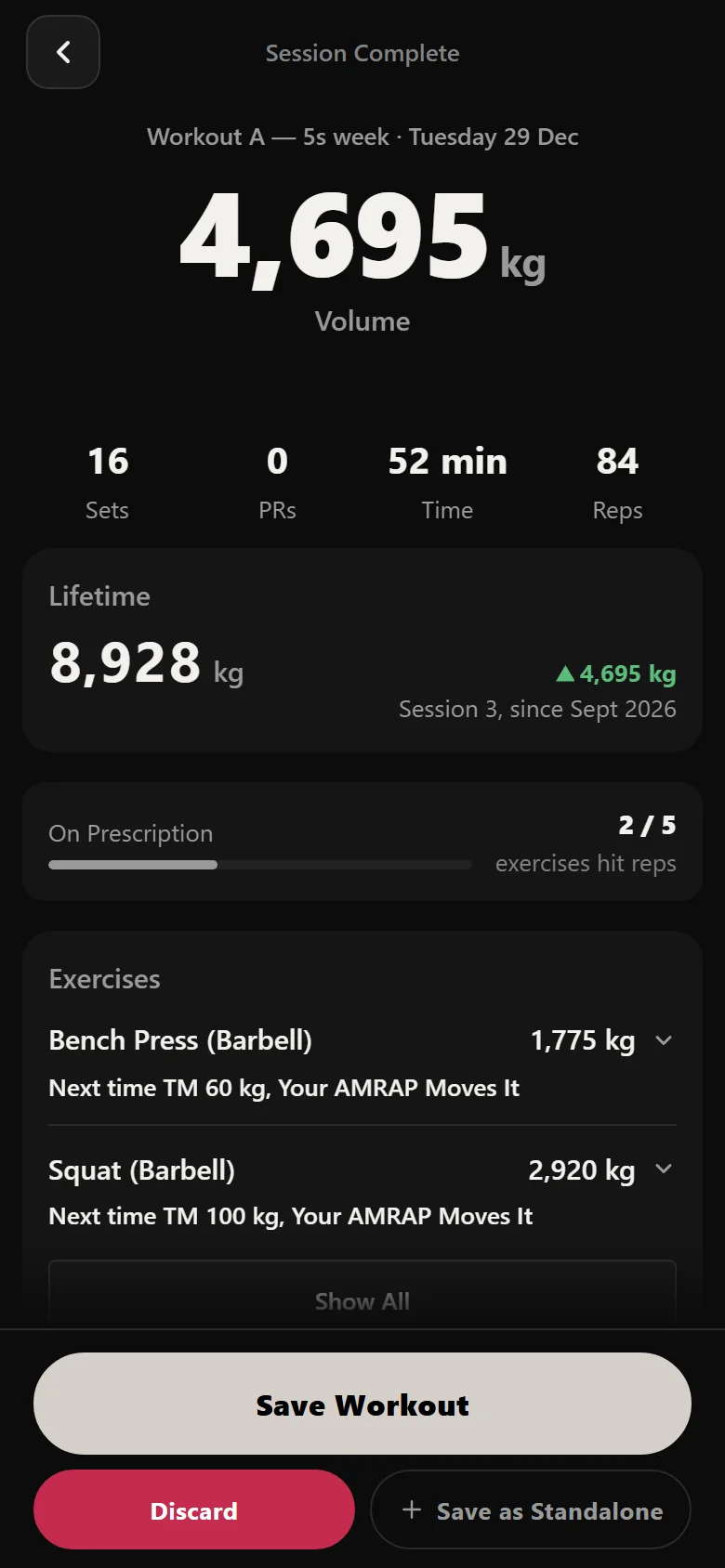
Sets check off as you go, volume and a live session estimate tick up at the bottom, and a rep record drops a trophy on the set that earned it. Finish, and Durata tallies duration, every set and the session total before it even saves. The moment you save, it lands in History on the program's start date, and the calendar begins to fill in.
The wave, then the deload
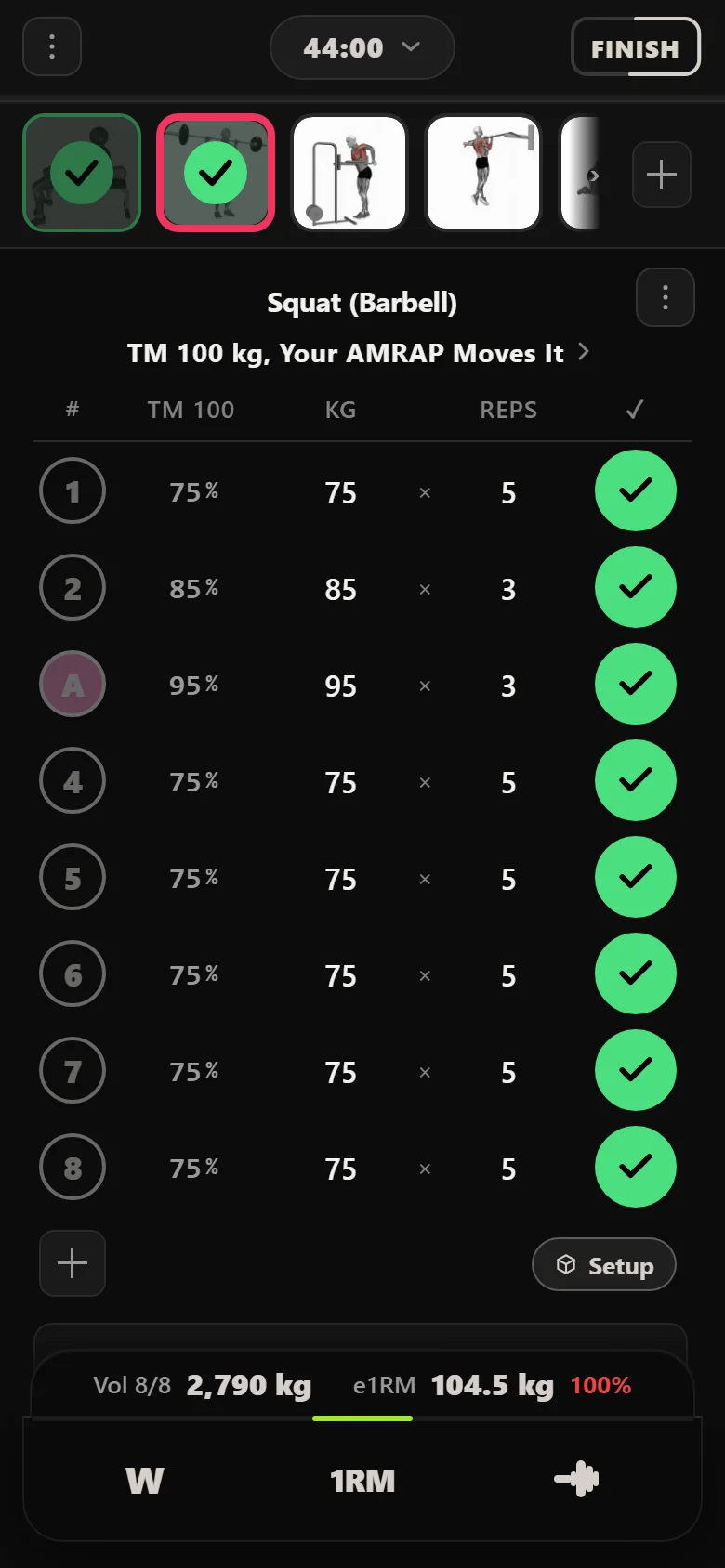
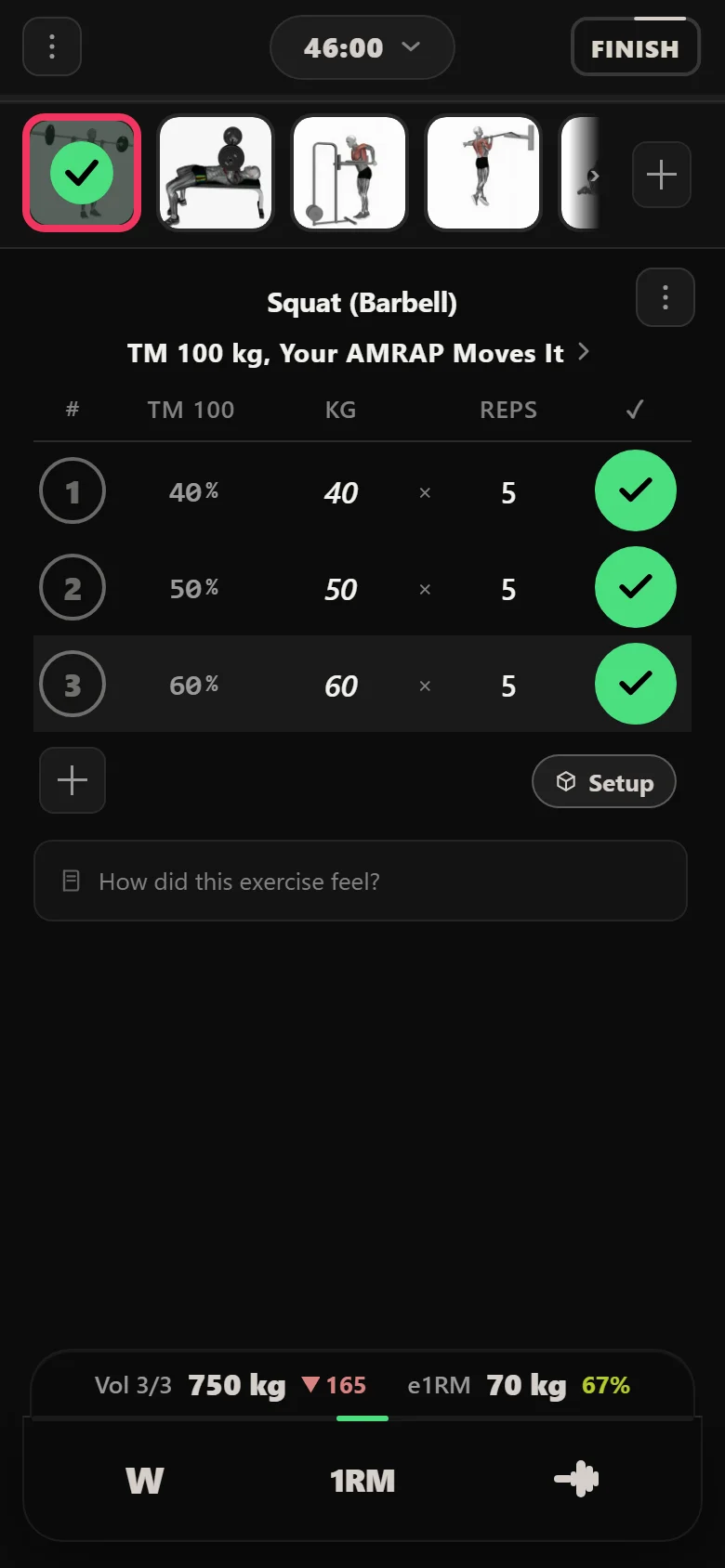
5/3/1 runs on a four-week wave, and Durata reshapes each session for you. Week 1 is fives. Week 2 drops to threes on a heavier bar. Week 3 is the 5/3/1 week, building to the heaviest set of the cycle at 95% of the training max, which on cycle one is 95 kg. Then week 4 is a deload: three sets at 40, 50 and 60 kg with no AMRAP, and the logger simply drops the load.
You calculate none of it. The same training max drives every week's percentages, and the app knows when it is time to back off. The strip below is the top set of each cycle's heaviest week, straight off the drive.
Squat (Barbell): the top set of each cycle's heaviest week
- 95S7 Session 7
- 100S19 Session 19
- 105S31 Session 31
- 110S43 Session 43
The turnover: the training max does the work
This is the part that makes a percentage program feel different. Beat the target reps on the AMRAP and Durata bumps that lift's training max at the end of the cycle. Nothing else changes. The next cycle opens on the same week-1 session, the same percentages and the same rep targets, but every weight underneath is heavier because the number they are calculated from moved.
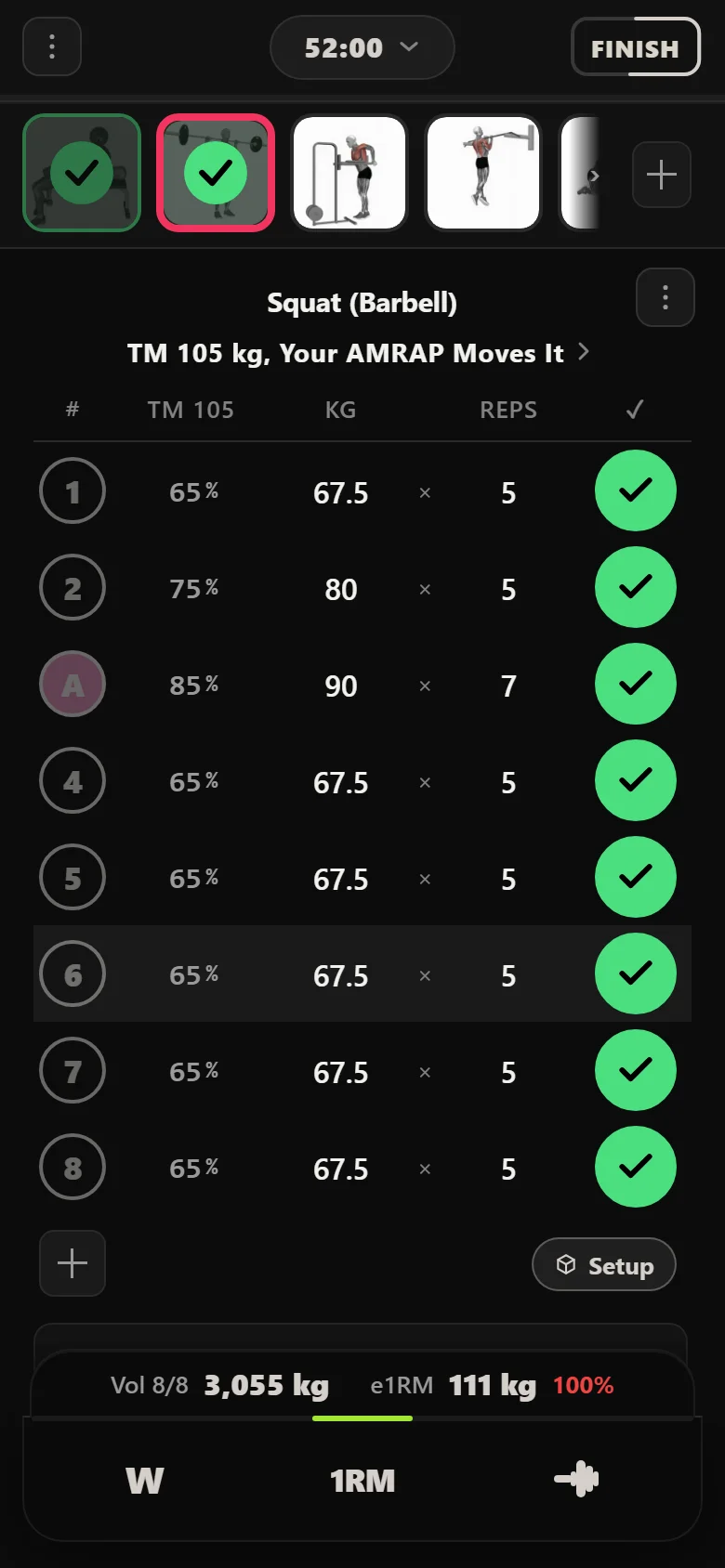
Cycle two opens on a 105 kg training max, so the 85% top set that was 85 kg is now 90 kg, and it goes for 7 again. The squat kept clearing its targets, so the app kept moving the training max: 100 kg at the start, 105 kg for cycle two, and 120 kg by the time the fourth review had run.
It is not only the squat. Each main lift is reviewed off its own AMRAP set, and over these four cycles all four moved: the squat from 100 kg to 120 kg, the deadlift from 120 kg to 140 kg, the bench from 60 kg to 70 kg and the overhead press from 40 kg to 50 kg. Four separate verdicts on four separate rep-outs, settled at the same cycle boundary, none of them typed in.
History and charts you earned
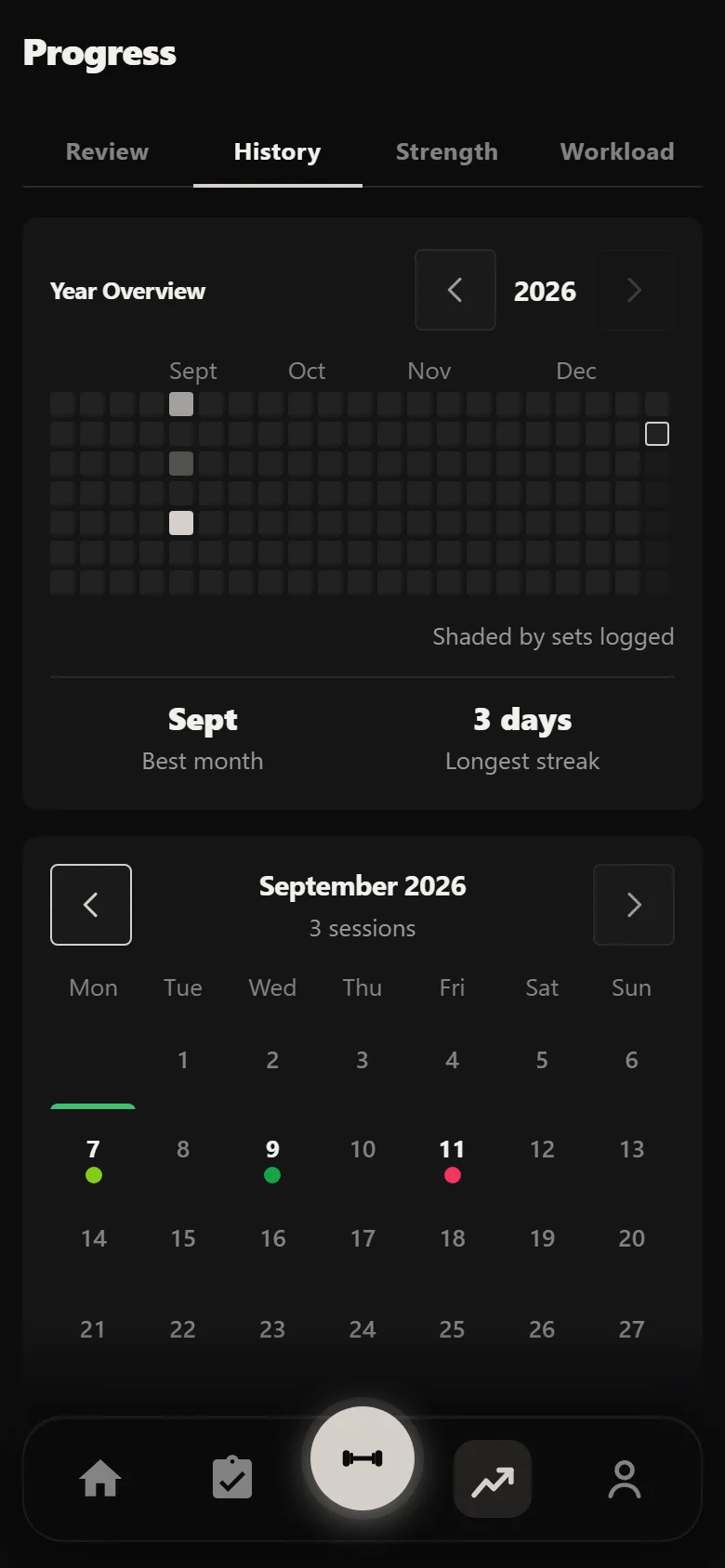
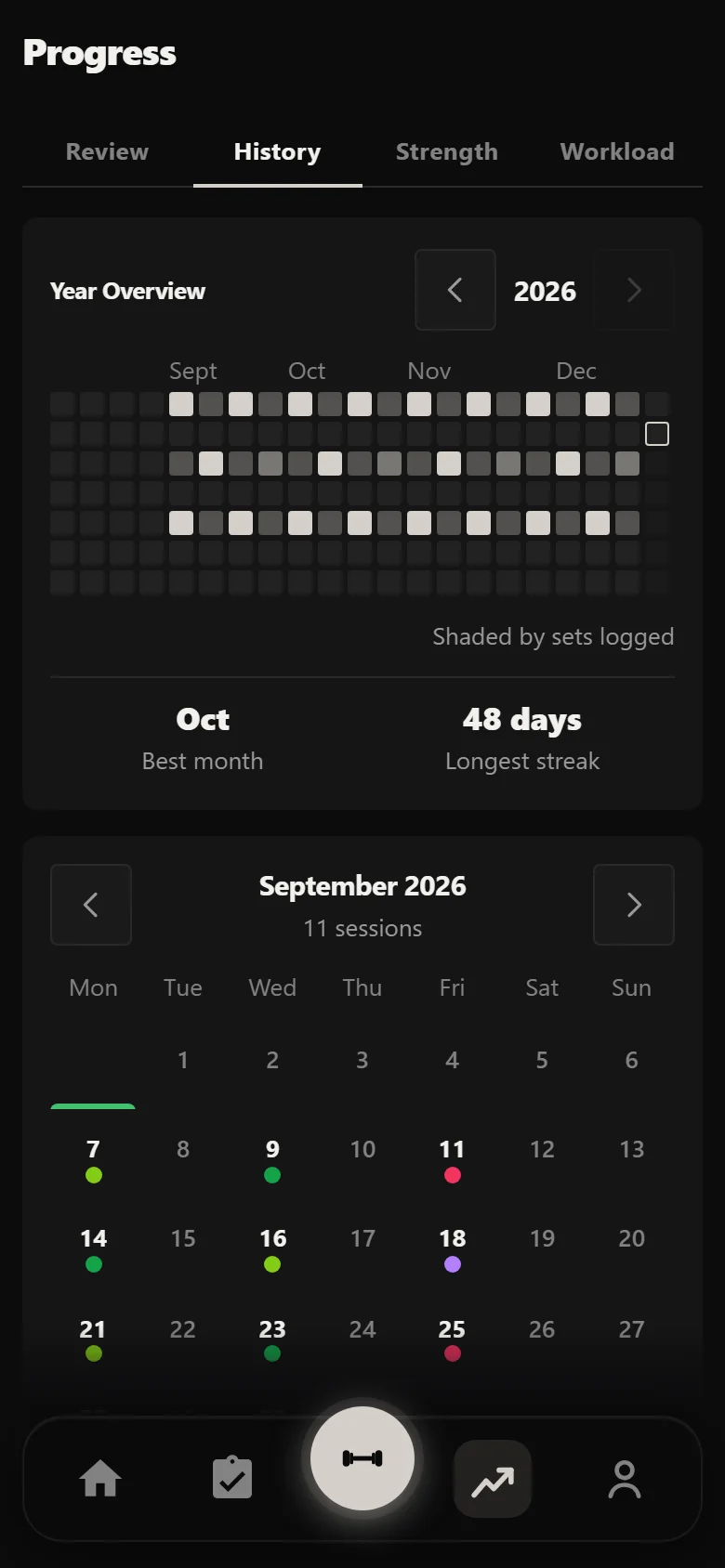
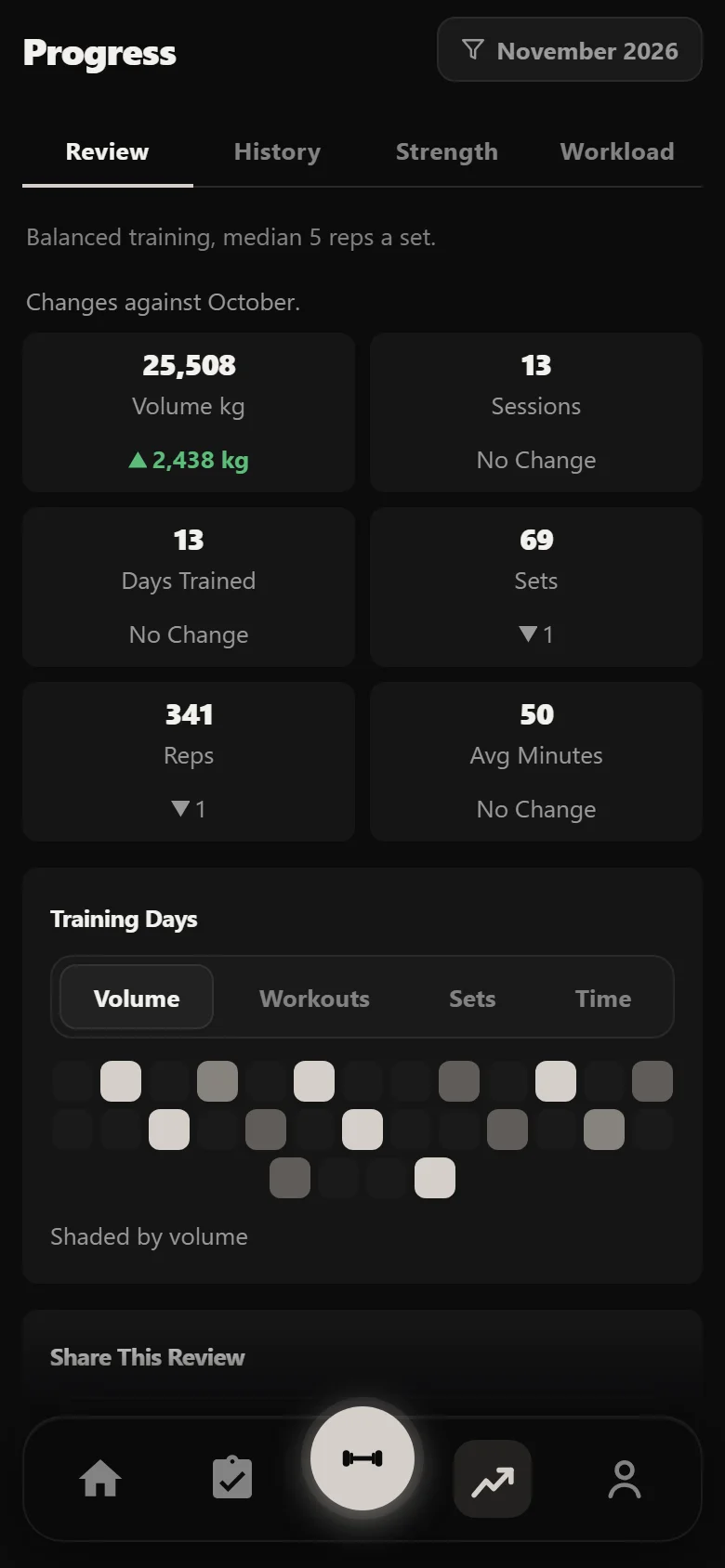
Everything you logged turns into a picture. The History calendar shows the whole run at a glance: the same lifts on the same days every week, the deload weeks sitting lighter, and the green marker on your start date. The Review tab writes the block up in plain English, with sessions, training days, volume moved and new records, built straight into a shareable card.
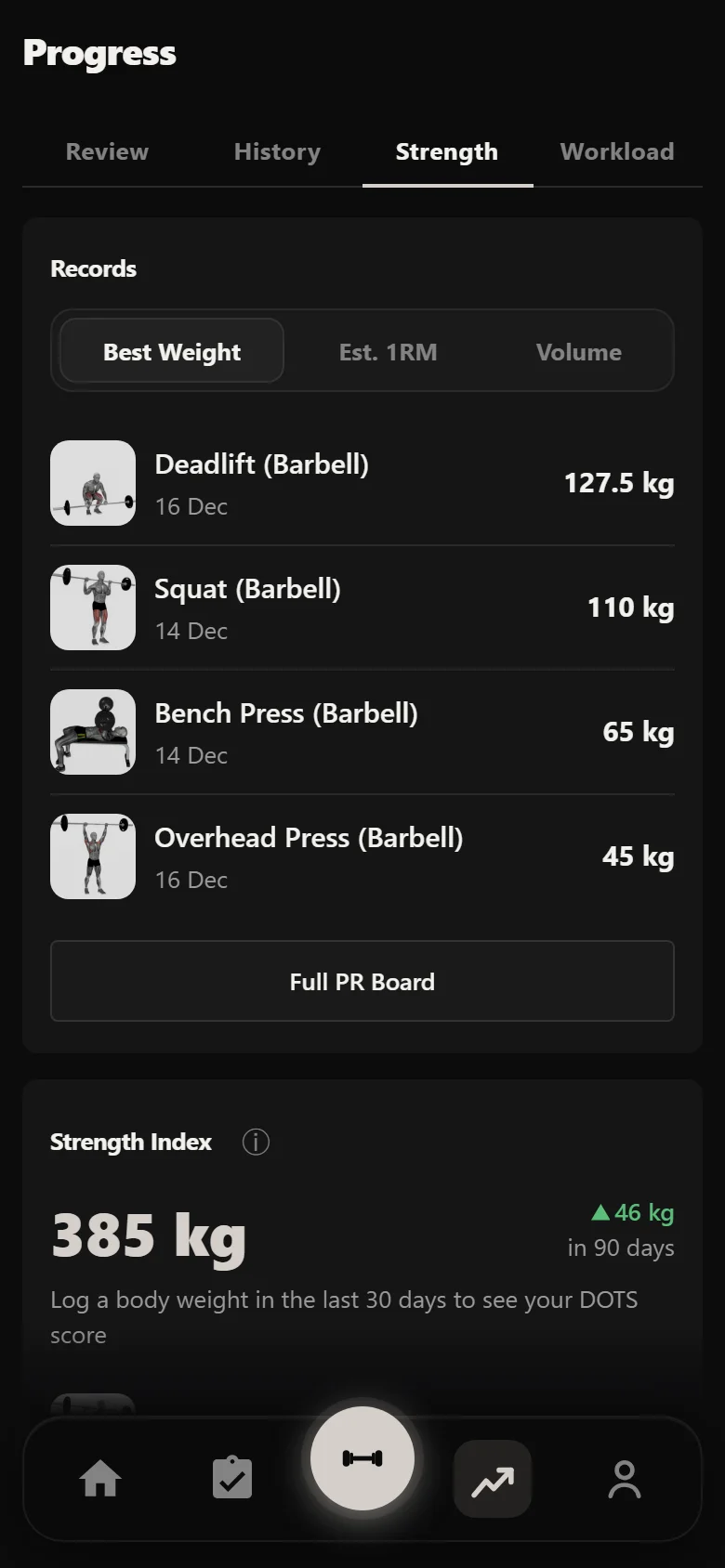
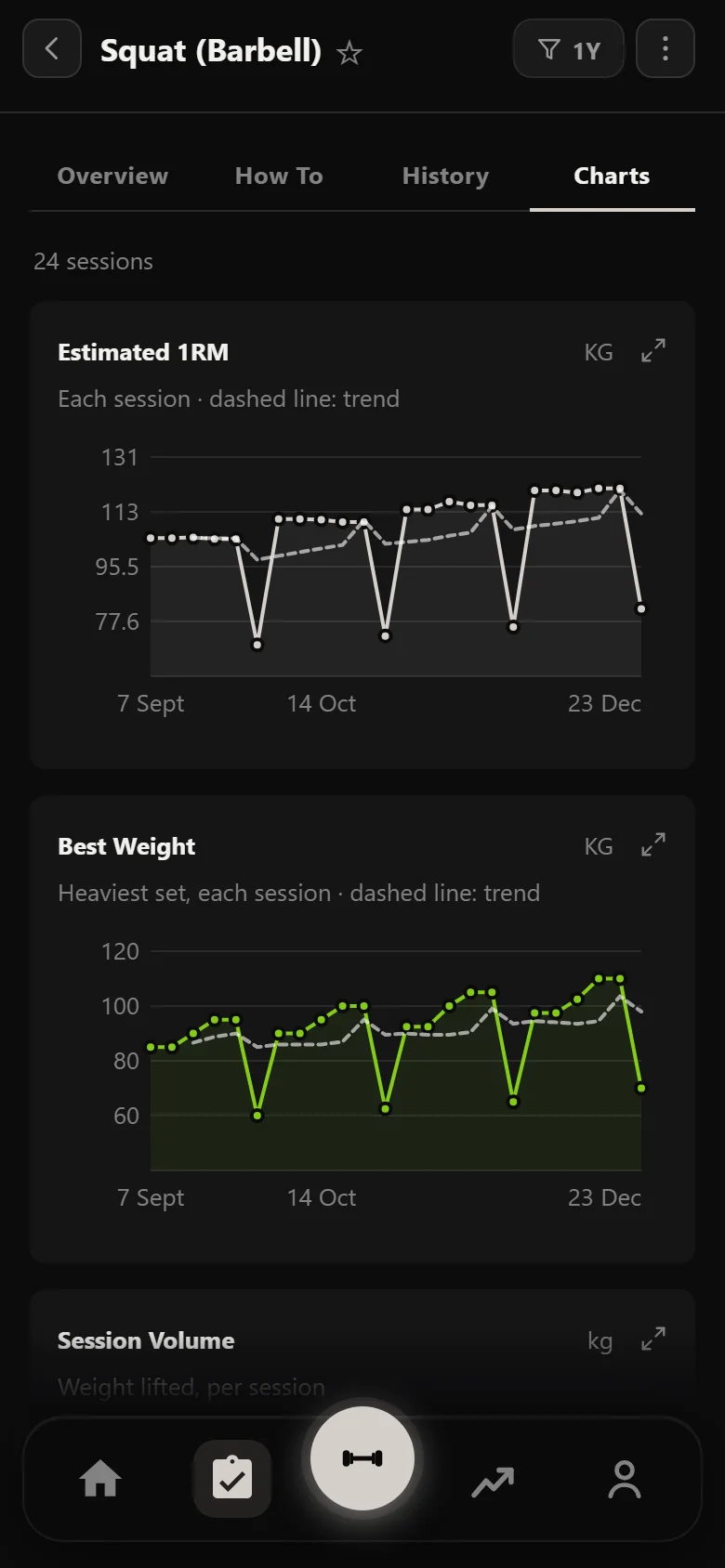
The Strength tab plots a strength index and an estimated one-rep max for each lift, and the squat's own chart draws the shape of a 5/3/1 run better than any description: a climb through each wave, a dip at the deload, then a higher climb once the training max is bumped. None of it is busywork. It is the by-product of turning up and logging.
The payoff: four cycles later
Same lift, same slot in the wave, same percentage of the training max. The only thing that changed across four cycles is the number the app calculates from, and it moved because the AMRAP sets said it could. The lifter set four training maxes once, on day one, and then just turned up.
The heaviest set of the cycle, four cycles apart. Both are 95% of the training max on week 3, and neither weight was typed in by hand.
Common questions
What is 5/3/1 For Beginners?
A three-day, full-body version of Jim Wendler's 5/3/1 strength program. Each session pairs two main lifts on the 5/3/1 percentage wave plus a first-set-last back-off, finished with light push, pull and core work. Progress is slow and sustainable, driven by your training maxes rather than by adding weight every session.
What is a training max, and why not just use my one-rep max?
A training max is a working number your percentages are calculated from, set deliberately below your true one-rep max, usually around 90%. A set written as 85% means 85% of your training max, not of an all-out max. Keeping it conservative is what stops you stalling: the weights stay heavy enough to progress but makeable week after week.
How does Durata decide when to add weight?
Through the AMRAP set, the last set at the day's top weight, done for as many good reps as possible. Beat the target reps and Durata bumps that lift's training max at the cycle turnover, so the next cycle's percentages come off a heavier number. Miss it and the training max holds so you can consolidate. You never work out the next jump yourself.
What is the deload week for?
Week 4 of each 5/3/1 cycle is a planned recovery week of light sets with no AMRAP. It lets your body absorb the previous three weeks of hard work so you come back fresh for the next cycle. Durata drops the load automatically; you do not have to remember to back off.
Is Durata free?
Yes. Durata is free to use, with the full program catalogue, automatic progression, rest timers and PR tracking. Everything in this walkthrough is in the app.
Put it into practice
Durata is free to use — 50 proven programs, automatic progression, rest timers and PR tracking, all on your phone.