


The web dashboard
The web dashboard is Durata in a desktop browser: the same account and the same data, synced both ways. Train on your phone at the gym, then review your week on a bigger screen, where charts are bigger and editing with a keyboard is quicker.
There is nothing to install and no separate account, and the web app is part of Durata Pro.
Last reviewed 2026-10-26 · matches app v1.1.1.105
Getting in
The web dashboard is desktop-only by design: a phone browser will point you to the mobile app instead, because on a phone the app does more: timers, notifications, haptics and the camera all live there.
Once you've signed in on a browser, that sign-in sticks: the dashboard works offline and syncs when you're back online, so a dropped connection at your desk doesn't sign you out mid-session.
- On a computer, open getdurata.app and hit Sign in in the header.
- Enter the same email you use in the app. A 6-digit code arrives by email and goes through on the last digit.
- First sign-in anywhere? Accept the Before You Train health and liability sheet. It asks once per account, on whichever device you sign in to first.
- That's it: your workouts, programs, analytics and body data are all there, and anything you change syncs straight back to your phone. The web app is part of Pro: on a free account the screen shows a QR code to scan with your phone instead, and once Pro goes through the page unlocks by itself.
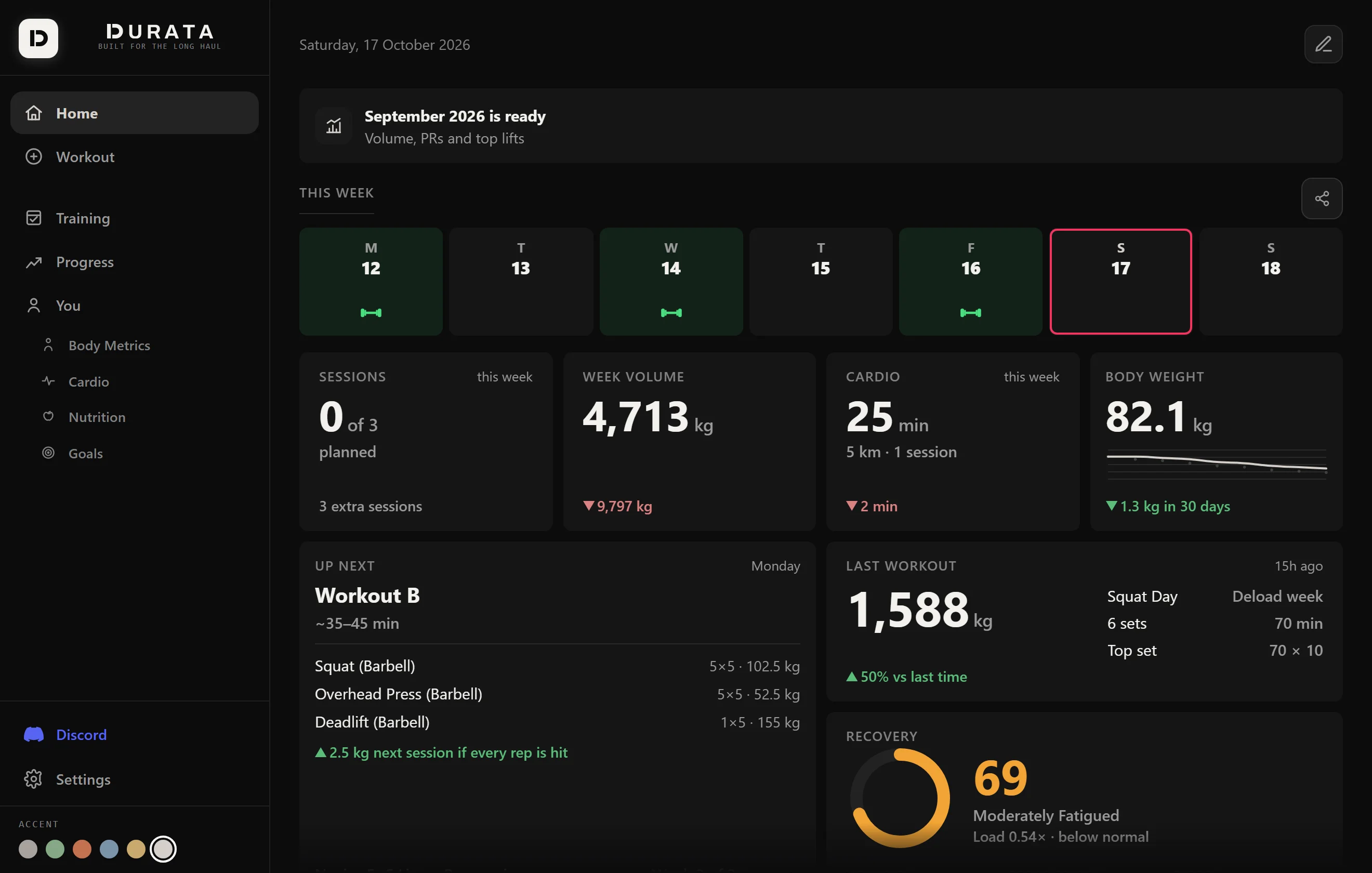
What the big screen is best at
Everything works on the web, and some things are easier there. Progress spreads out: the charts, heatmaps and comparison views that feel cramped on a phone open out, and a full year of training history fits on one screen.
Planning is the other one. Working through a plan in the planner, reading a plan's Report Card after a block, browsing the 50 plans in Discover, or building a session in the editor is quicker with a mouse and keyboard, and every change is on your phone before you have stood up.
It's also the comfortable place to do admin: importing history from another app, exporting backups, and tidying your exercise library.
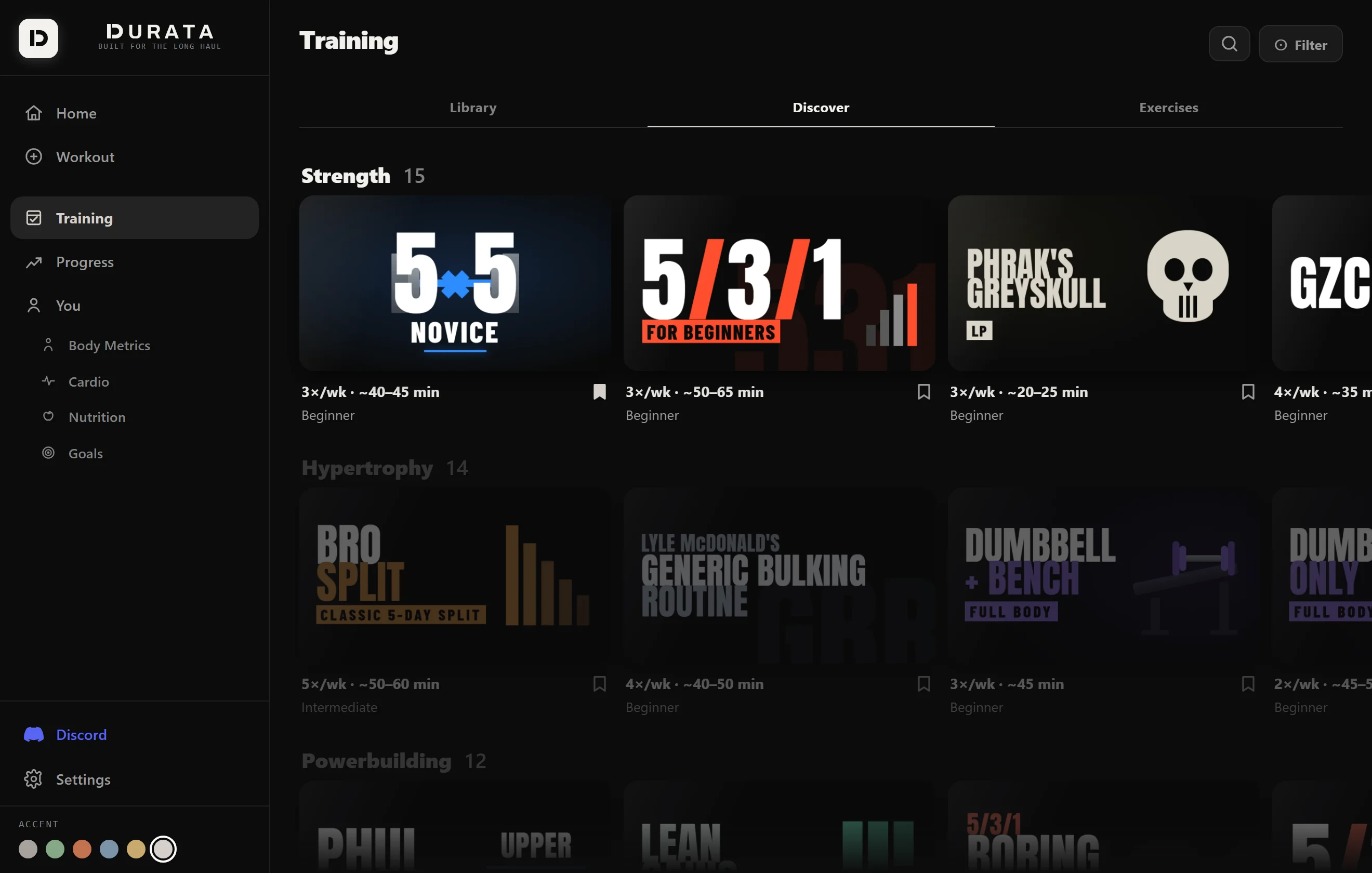
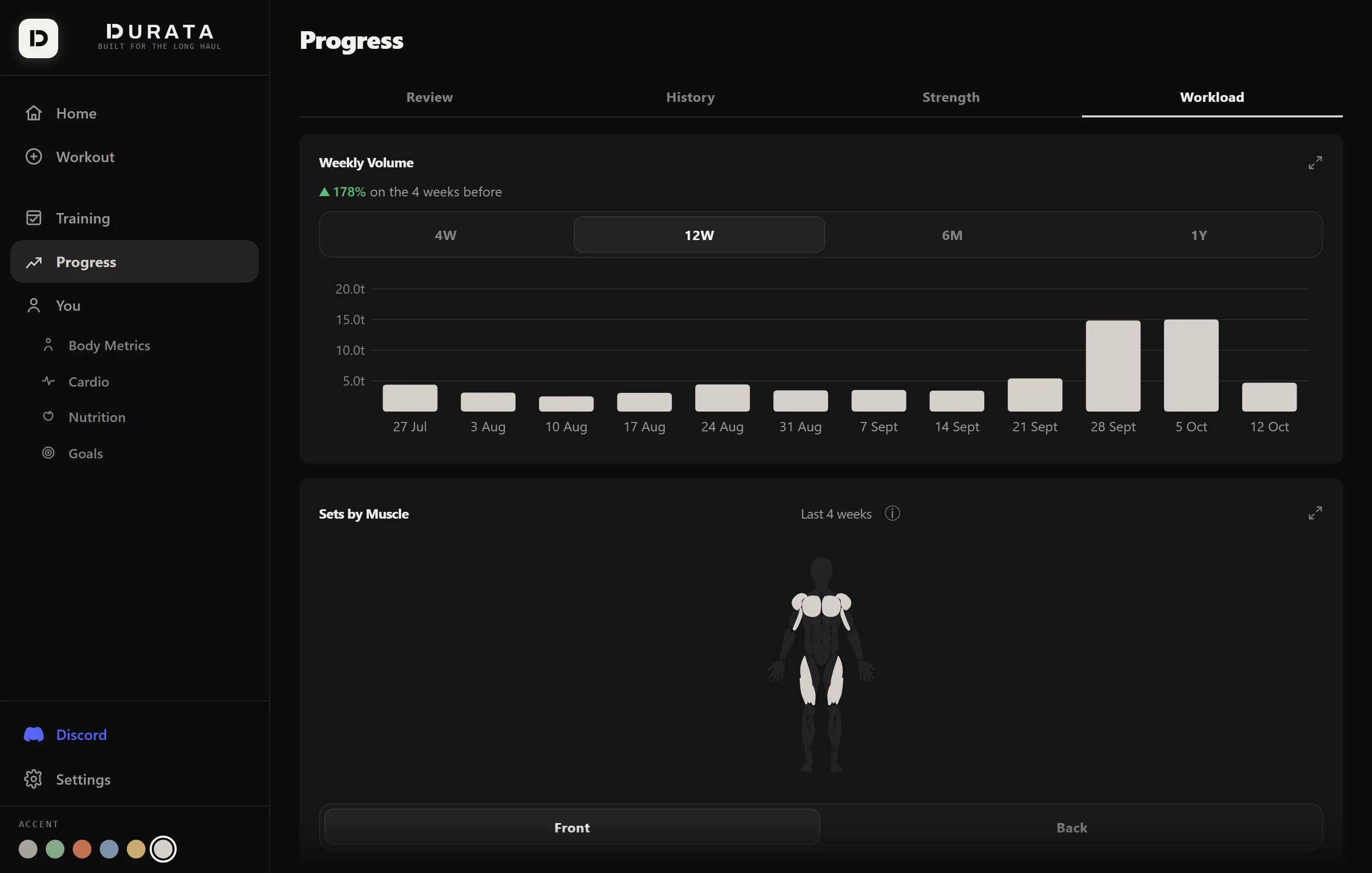
The colour swatches in the sidebar change the app's accent colour: the same six as the phone app, synced to your account.
Press Escape to close whatever sheet is open, the same as clicking outside it.
What stays on the phone
What needs the phone stays on the phone: the camera (progress photos and the post-workout photo), Apple Health and Health Connect, the watch, and rest timer notifications. What they capture still shows on the web, except photos, which stay on your phone and are never uploaded.
Common questions
Is the web dashboard free?
It is part of Durata Pro. A free account that signs in on a desktop screen sees a QR code instead of the app: scan it with your phone to upgrade, and the page opens on its own. Your data is untouched either way, and the phone app keeps working exactly as before. Founders and anyone with a Pro purchase never see the lock.
Can I log a workout from the web?
Yes. The full logger works in the browser, set types, calculators and all. Most people still log on their phone at the gym and use the web for reviewing and planning, but nothing stops you training next to a laptop.
Why does my phone's browser send me to the app store?
On a phone, Durata is the app: it does timers, notifications and the camera properly, which a phone browser cannot. The web dashboard is meant for desktop screens.
Do I need to create a separate account?
No. One account covers both: create it in the phone app (Android or iOS), then sign in on the web with the same email and 6-digit code.
Put it into practice
Durata is free to use — 50 proven programs, automatic progression, rest timers and PR tracking, all on your phone.