


Nutrition
Durata doesn't ask you to log food a second time. It reads what your food app already sends to Apple Health or Health Connect, one record per day, and puts it beside your training.
This guide covers connecting it, the Nutrition screen, setting targets that change with training and rest days, and the Insights cards, including the one number no calculator can give you: what you actually maintain on.
Last reviewed 2026-10-20 · matches app v1.1.1.105
Getting your food in
Go to Settings, Integrations, then Apple Health on an iPhone or Health Connect on Android, and allow nutrition. Your food app has to share with it too. Most food trackers do once you switch it on in their settings.
Each day's calories, protein, carbs and fat come across as one record per day, so syncing again never makes duplicates.
Durata reads today again whenever you open the app or come back to it, and the last couple of days too, because food apps often send last night's dinner the next morning.
History is read-only, because Durata only reads your food. To fix a number, fix it in your food app and the next sync brings it across.
The Nutrition screen
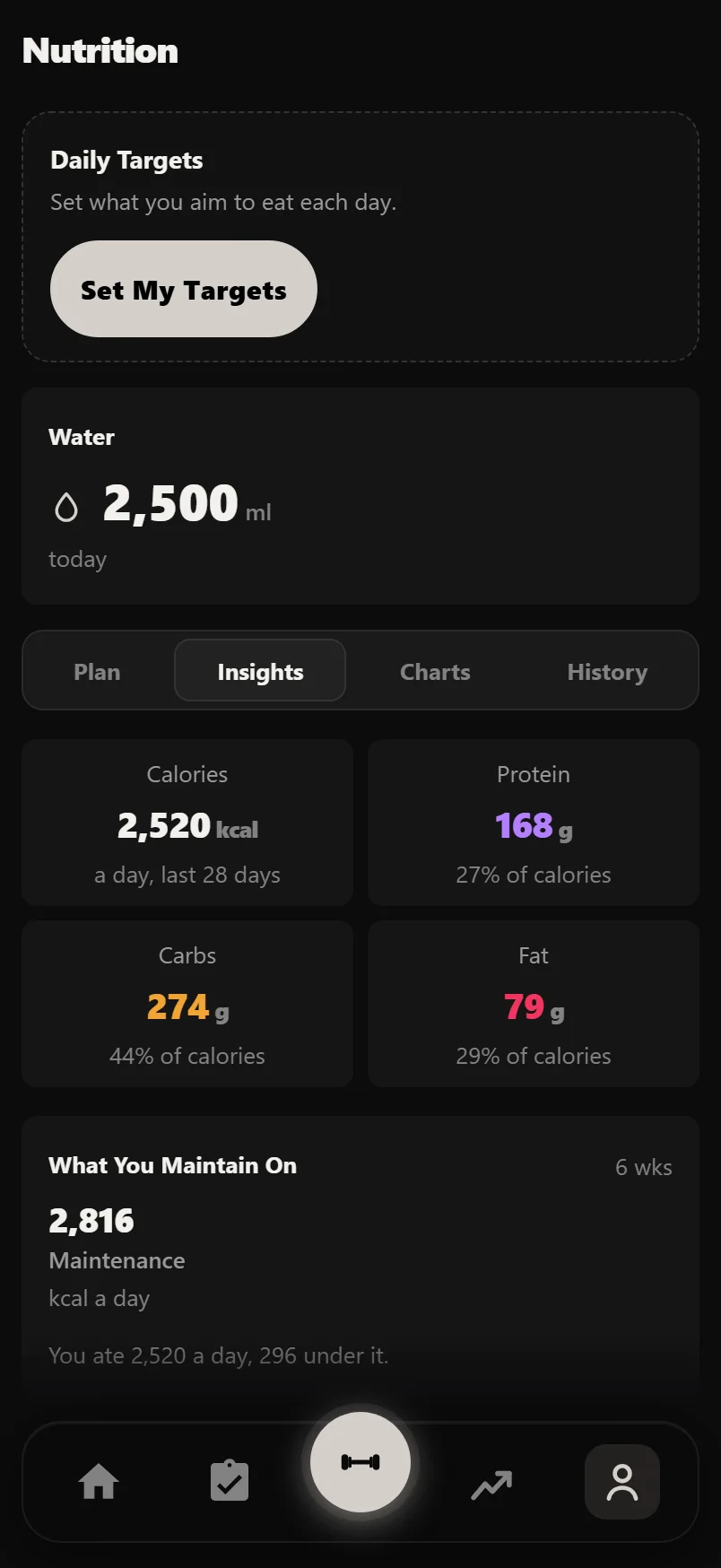
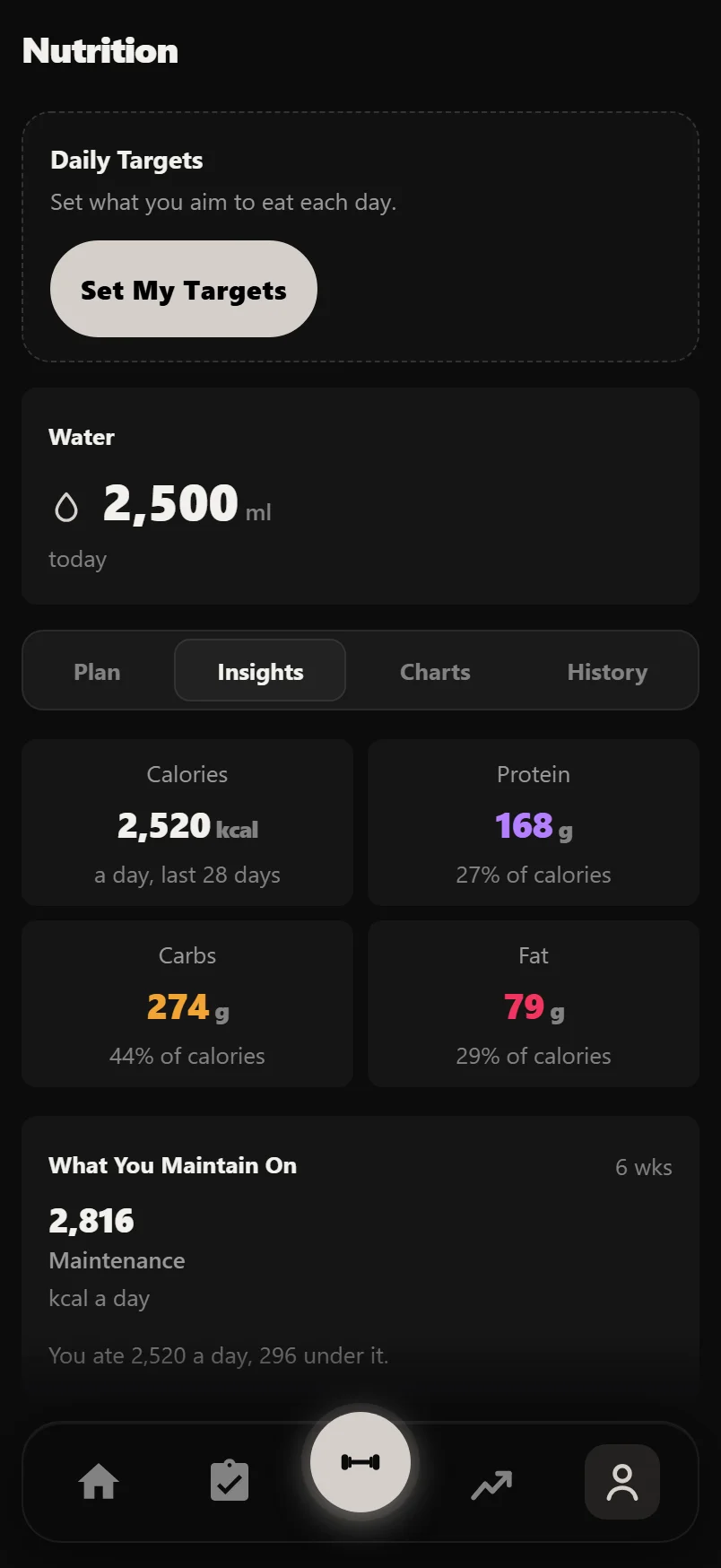
Nutrition is on the You tab. It has four tabs: Plan, Insights, Charts and History.
At the top, Daily Targets shows today against your targets, or Set My Targets if you have none yet. Under it are today's water and four tiles: Calories, Protein, Carbs and Fat. Each tile opens its chart, and Back brings you to the same place.
Charts draw a dashed line at your average calories and a 7-day average over each macro. Days you didn't log are left out, not counted as zero. Every chart has an expand button for a full-screen view, with your average, lowest and highest along the bottom.
Setting targets
Tap Set My Targets, or New Targets once a set is running. A set of targets covers a stretch of time, with a name and dates, so you can run a cut, then a maintenance phase, then a build, and look back at each one.
First pick what you are doing: Losing weight (under what you maintain on), Holding weight, or Building (over it).
Then pick how the days work. Same every day is one set of numbers. Different on training days gives a Training day and a Rest day their own calories and macros. Set each day myself suits high and low carb days or a refeed.
Fill in calories, protein, carbs and fat for each kind of day. If you don't know where to start, Work Out My Numbers asks your sex, age, height, weight and activity, and fills in calories, macros and water: an estimate to start from, not a rule.
Training Day Means decides what makes a day a training day, everywhere in Durata: Weights (you lifted) or Any Session (weights or cardio). Days ahead follow your plan's own week, so a plan that lifts Monday, Wednesday and Friday makes Tuesday a Rest day.
The Plan tab shows your current targets, the week ahead as seven days, and your earlier targets. A set that has ended shows PHASE COMPLETE with how it went.
A body weight goal can set your targets for you. On the goal's card, Set Targets From This Goal opens this with the direction and dates already filled in.
The Insights cards
Insights reads your food against your training and your weight. Each card says what it needs if there isn't enough yet, such as "Needs 10 days of reported calories".
What You Maintain On is the calories you hold your weight on. A calculator can only guess this. Durata works it out from what you ate and what the scale did over the same weeks. It needs at least 14 days, with at least 10 days of reported calories and weigh-ins at least 14 days apart.
Protein per Kilo gives your protein against your body weight, split by whether you lifted that day. Do You Eat More When You Train? sets your training days against your rest days. Days on Target counts the days you hit each target.
Reporting Coverage says how many days your food app actually reported, so you know how far to trust the other cards. The Rest of This Week shows what is left of this week's targets.
Water
Water is read the same way as food: there is nothing to log by hand. The Water card shows today's water and, with a water target, a ring and how much of it you have drunk. Tap it for the Water chart and your average.
Add the Water widget to Home to see today's figure there.
Common questions
How do I get my meals into Durata?
Connect Apple Health or Health Connect in Settings, Integrations, and allow nutrition. Each day's calories and macros sync from your food app as one record per day. To fix a number, fix it in your food app.
Can I type my food into Durata?
No. Durata reads food and water from your phone's health app, so you keep using the food tracker you like and nothing is logged twice.
What is a Training day and a Rest day?
The two sets of numbers your targets judge a day by. A Training day is one you lifted, or did any session if you chose Any Session. Every other day is a Rest day. Days ahead follow your plan's week.
How does Durata know my maintenance calories?
What You Maintain On measures it: it compares what you ate with what your weight did over the same stretch, at least 14 days with 10 days of food and weigh-ins 14 days apart, rather than guessing it from a formula.
Is nutrition part of Pro?
No. Nutrition, targets and the Insights cards are free. Fuel & Training on Progress, Workload, which sets your eating against your training week by week, is part of Pro.
Put it into practice
Durata is free to use — 50 proven programs, automatic progression, rest timers and PR tracking, all on your phone.